
Loading ticker...
The Odds Gap shows you which sportsbook or prediction market is paying the most for the same bet. It is free, it gives no picks, and it never tells anyone what to bet.
A line-shopping site. We collect the price of the same bet from 10 US sportsbooks and 4 prediction markets and exchanges (Kalshi, Polymarket US, ProphetX and Novig) and put them side by side, best price first.
Every board opens free with no signup. Add your email and the Live Beta gives you faster prices, in-game odds, the full finding tools and alerts. Paid plans start Dec 1. The board stays free. Reserve The $5 Founding Price.
Math, not picks. We never grade your plays, never tell anyone what to bet, and never promise anyone income. Our +EV list shows prices above the market's fair number; it is not a pick, and not a forecast of profit.
Game lines, player props, futures and live games. Prediction-market prices are the price you could actually fill at $100 with fees included, not the top of the screen.
Nothing matches that. Try another word, or tap All.
Where every price lives. All free to open, all ranked best to worst.
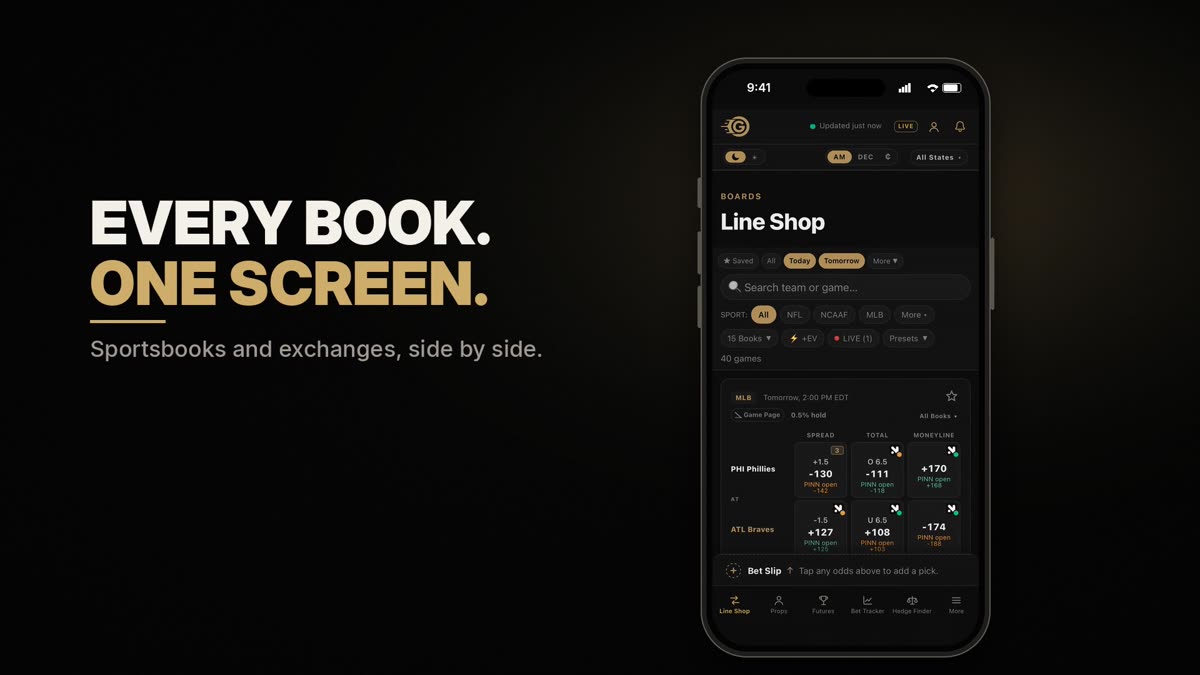
Moneyline, spread and total for every game, with every book side by side and the best price flagged. Filter by day, sport and the books you can actually bet at, search any team, and tap a price to add it to the bet slip, which finds the book paying the most for it.
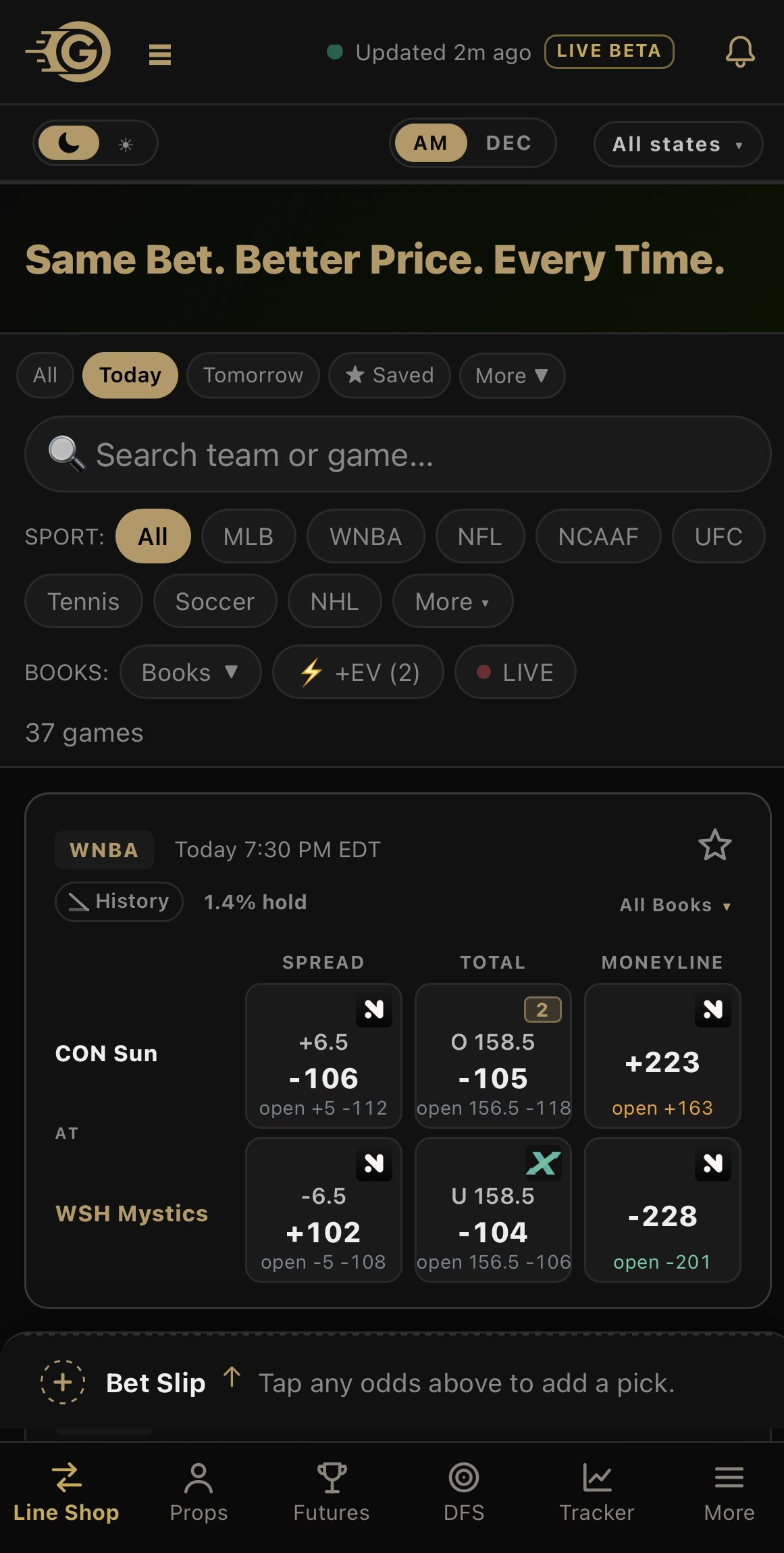
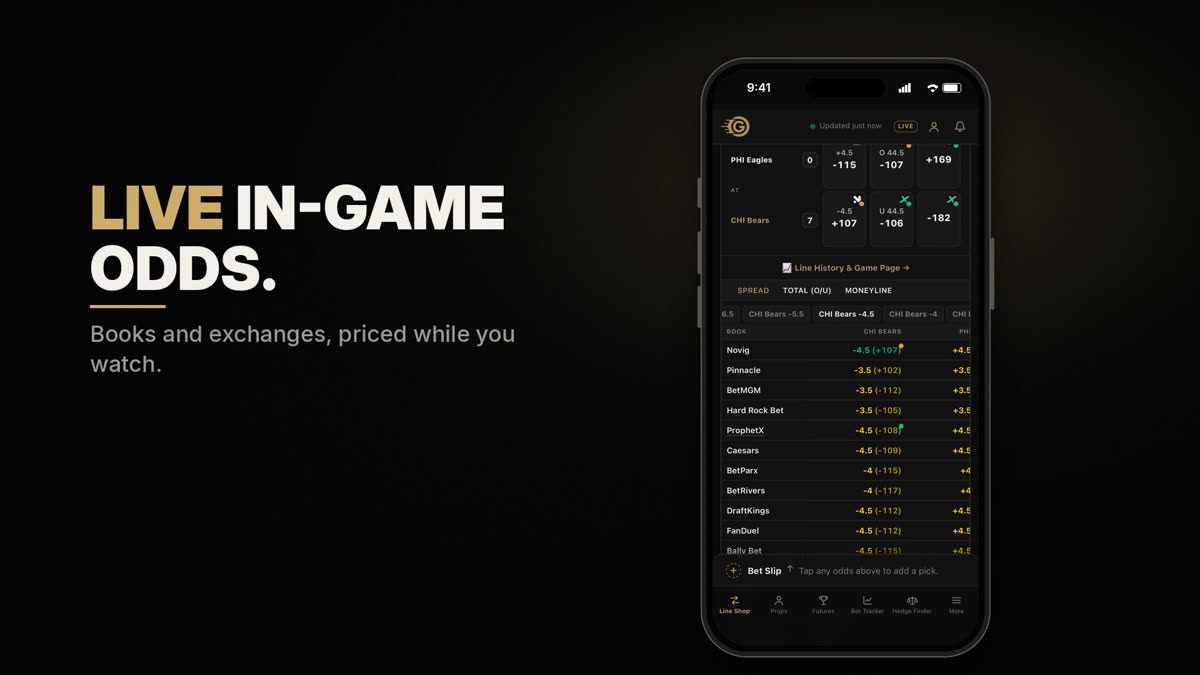
Turn on the LIVE pill in the Line Shop and you see in-play moneyline, spread and total across the books while games are running, with the score beside them. It is part of the free Live Beta: add your email and it is on.
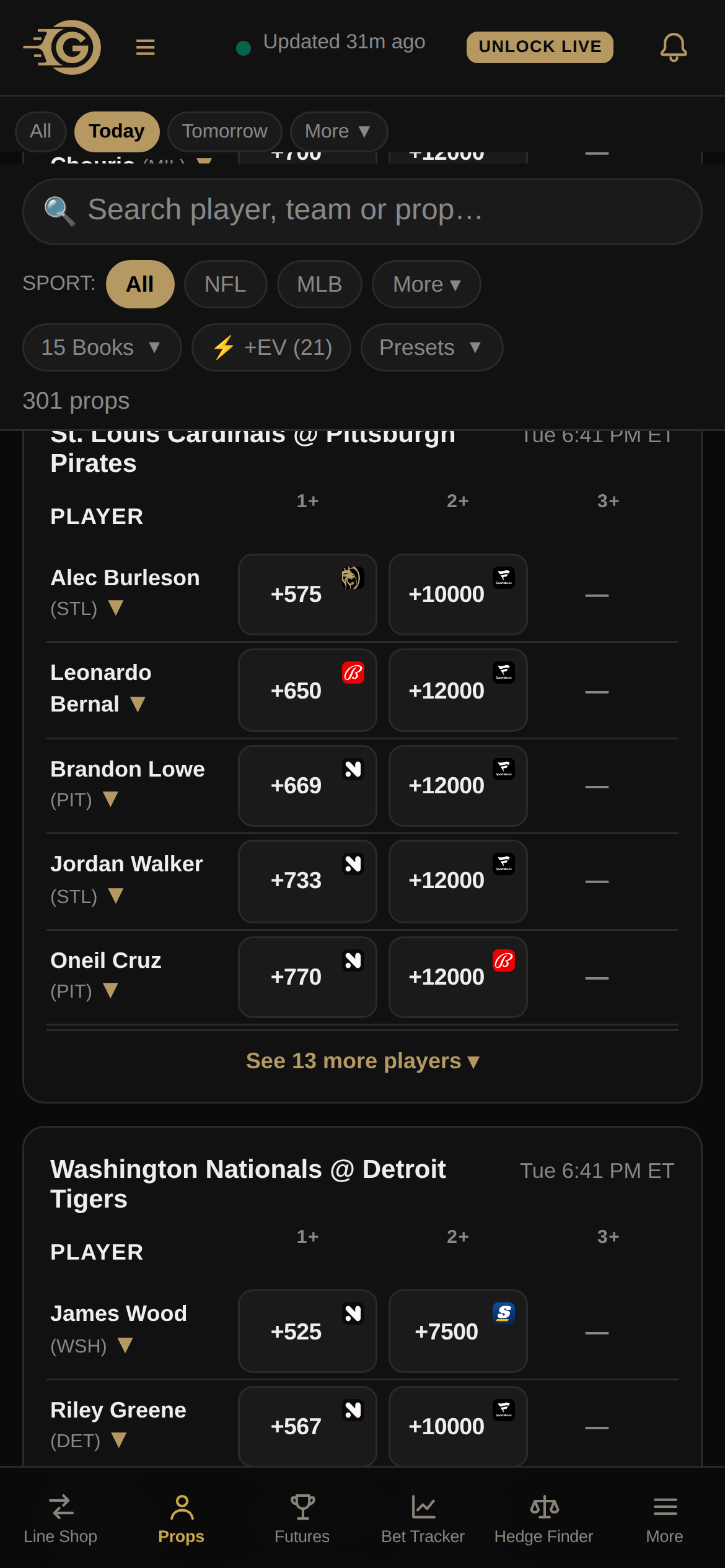
Every book's over and under price on player props, best price per line and the book that has it, with alt lines behind each row. NFL, college football, NBA, college basketball, NHL, MLB and WNBA, each in season, graded from the box score once the game is final. Each book's own rule for a player who does not play sits beside its price, dated, with a link to the book's rules page.
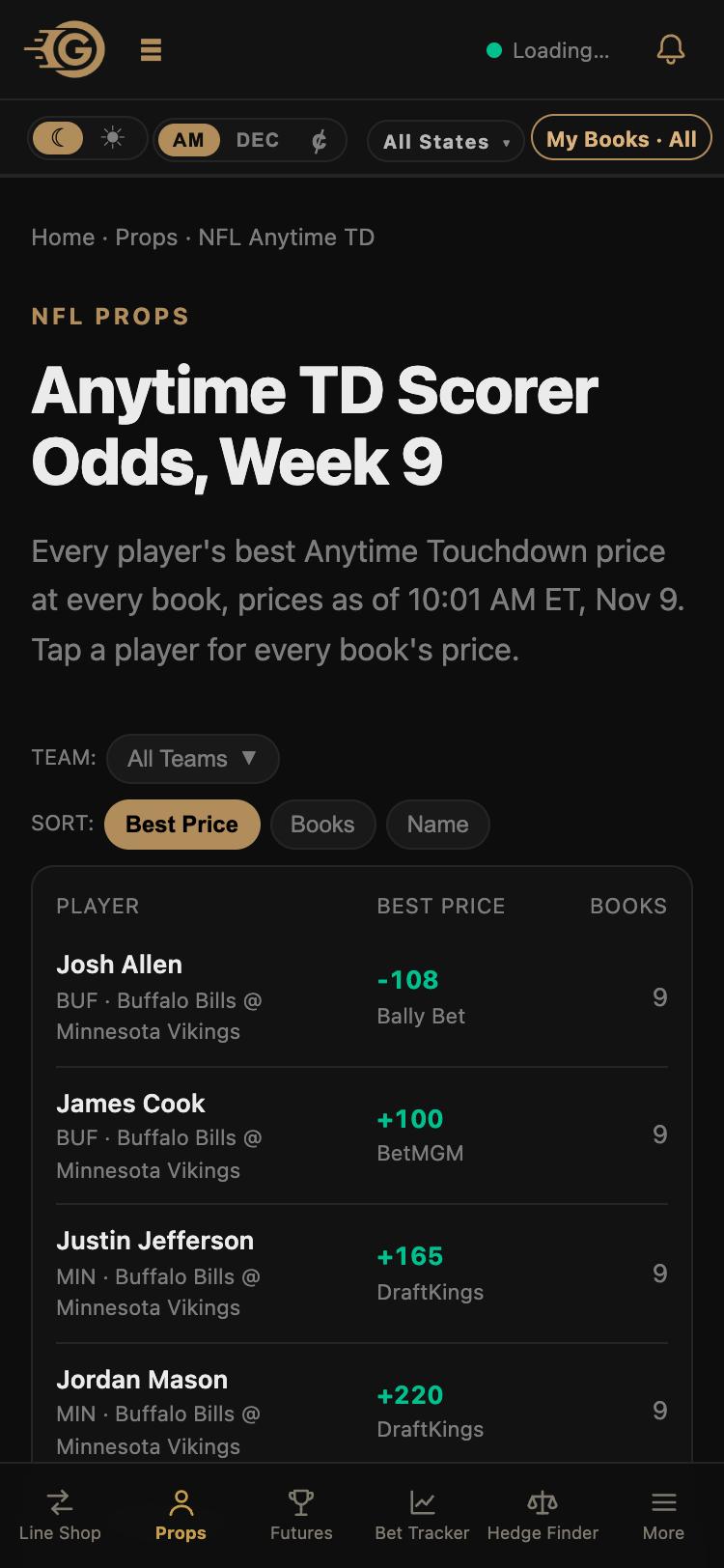
Every player with a prop on a scheduled game has a page with his props first (line, best Over and Under with the book, and how many books carry it) and his hit rates under it. The Anytime TD page lists every player's Anytime Touchdown price at every book for the week, at one link that refreshes each week. Each game with props from two or more books has its own props page, linked from its game page. Parlays: which sportsbook paid the most on real multi-game parlays over the last 30 days, from our own prices.
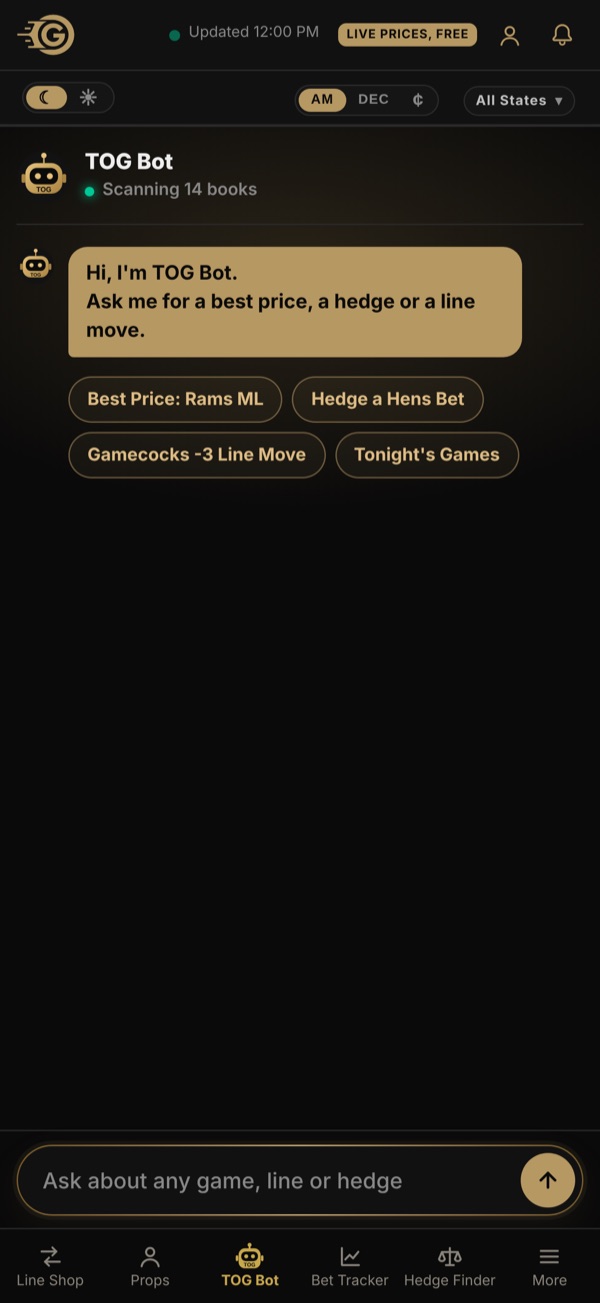
Ask things like "best price on the Falcons +1.5?" or "I have $50 on the Saints at +150, how much do I hedge?" (a player prop ticket too: "hedge my Josh Allen over 1.5 passing TDs at +120 for $50") and TOG Bot answers from our own prices. Every number in an answer is checked against the data before it is shown. It is on the website for Live Beta members (anyone can ask one question a day there without signing up), and in Discord as /odds ask, 10 questions per person per day.
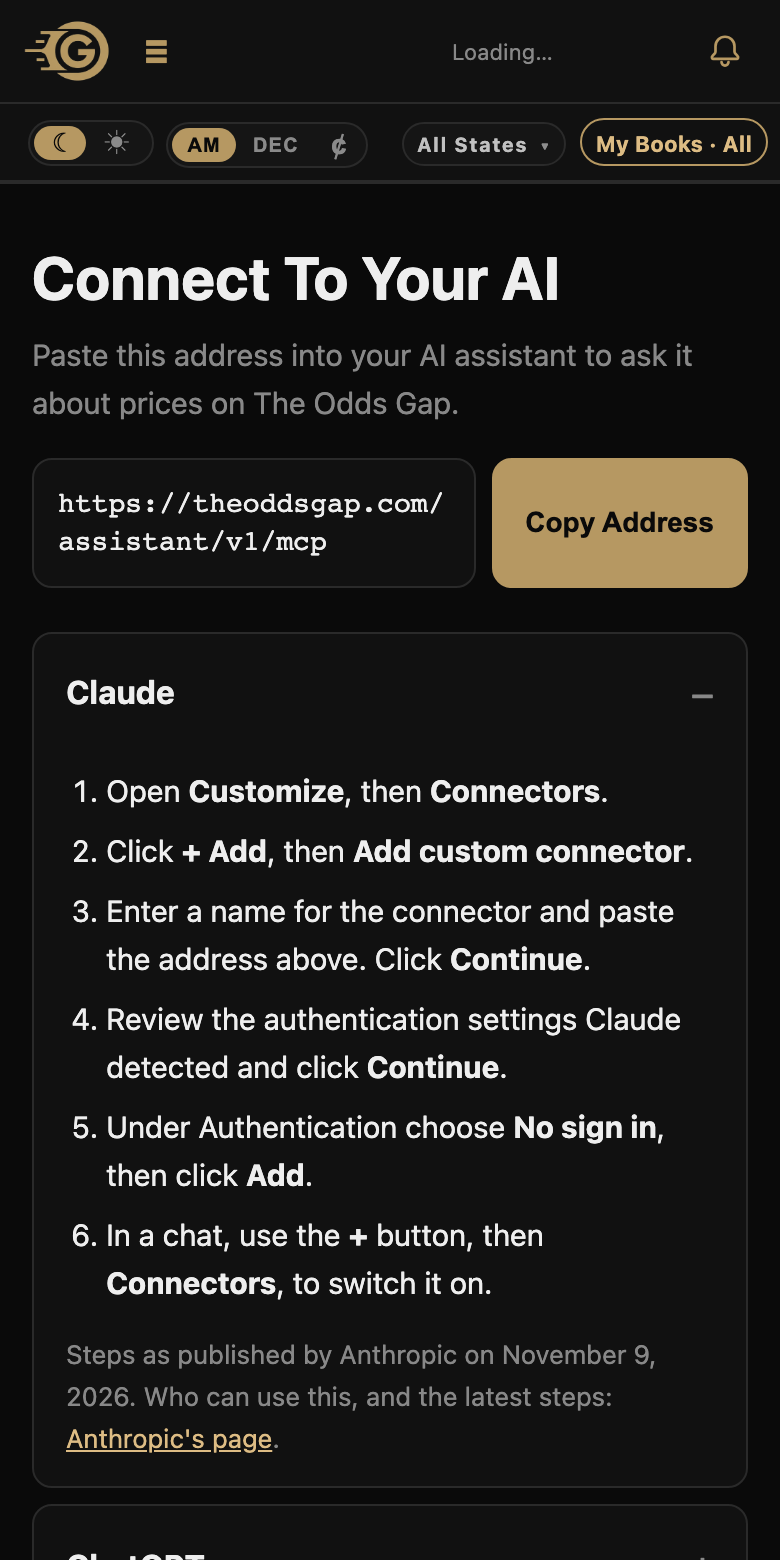
One address to paste into your AI assistant, with the steps for each one taken from its maker's own help page. Your assistant can then ask The Odds Gap for a game's prices at every book, a league's games, odds conversions, past results and line moves. Every answer says when the prices were scanned and links the game page on our site, never a sportsbook. No login. It gives no picks.
Every book that posts a futures market, side by side, with the best price on each team or player. Save the ones you follow and filter to them.
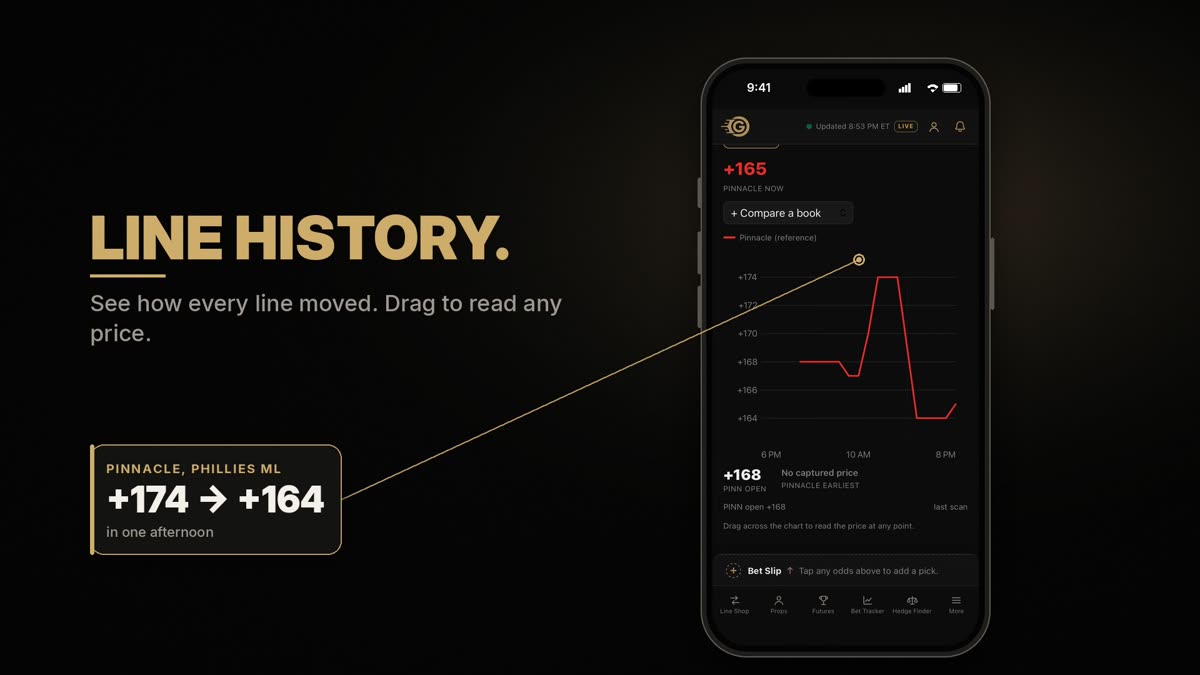
Every game has its own page: every book's price on each market, the opening line, and a chart of how the line moved that you can drag to read any moment. After the game the page leads with the final score, who covered and the chart of how the odds moved from open to final, and it stays up, so a link you post never goes dead. For a game that has started, the chart keeps going through the game. It checks Pinnacle's live price about every minute, and when Pinnacle has no fresh price it uses Novig's or ProphetX's, if at least $250 can be bet at that price on each side, with a note saying so.
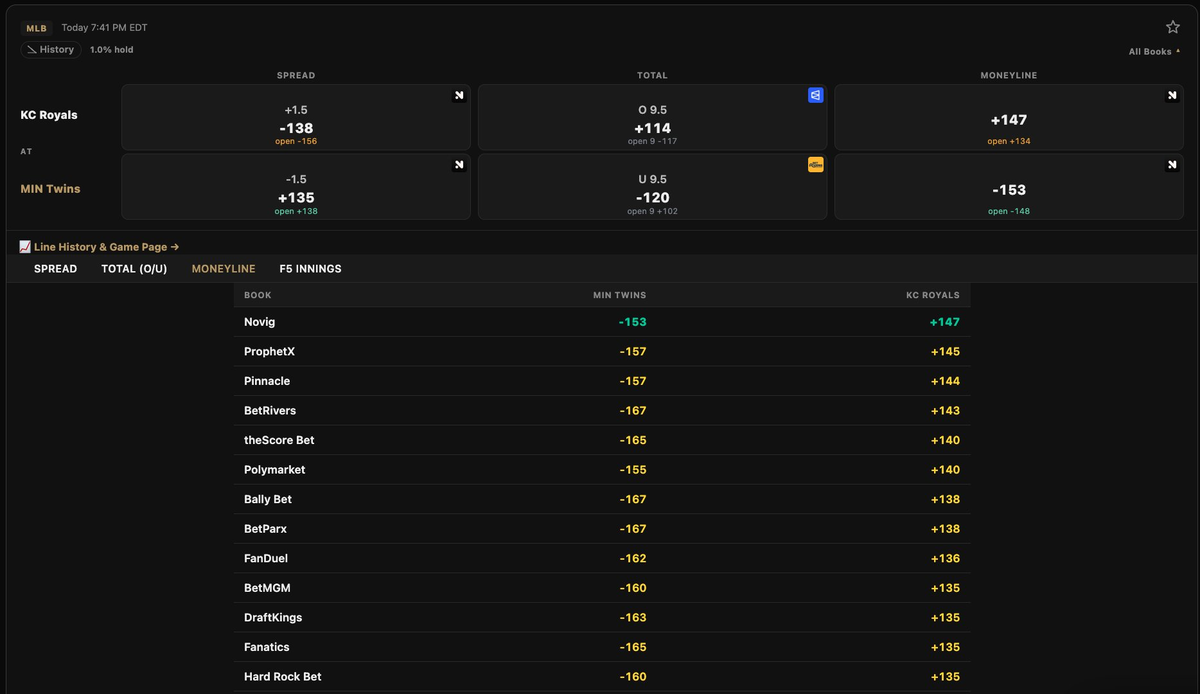
Every game of the week with the best price on each side first. There is one for college football, the NFL, the NHL, the NBA, college basketball, MLB and UFC.
Free research, built from the same prices. For the NFL, college football, the NBA, college basketball, the NHL and MLB.
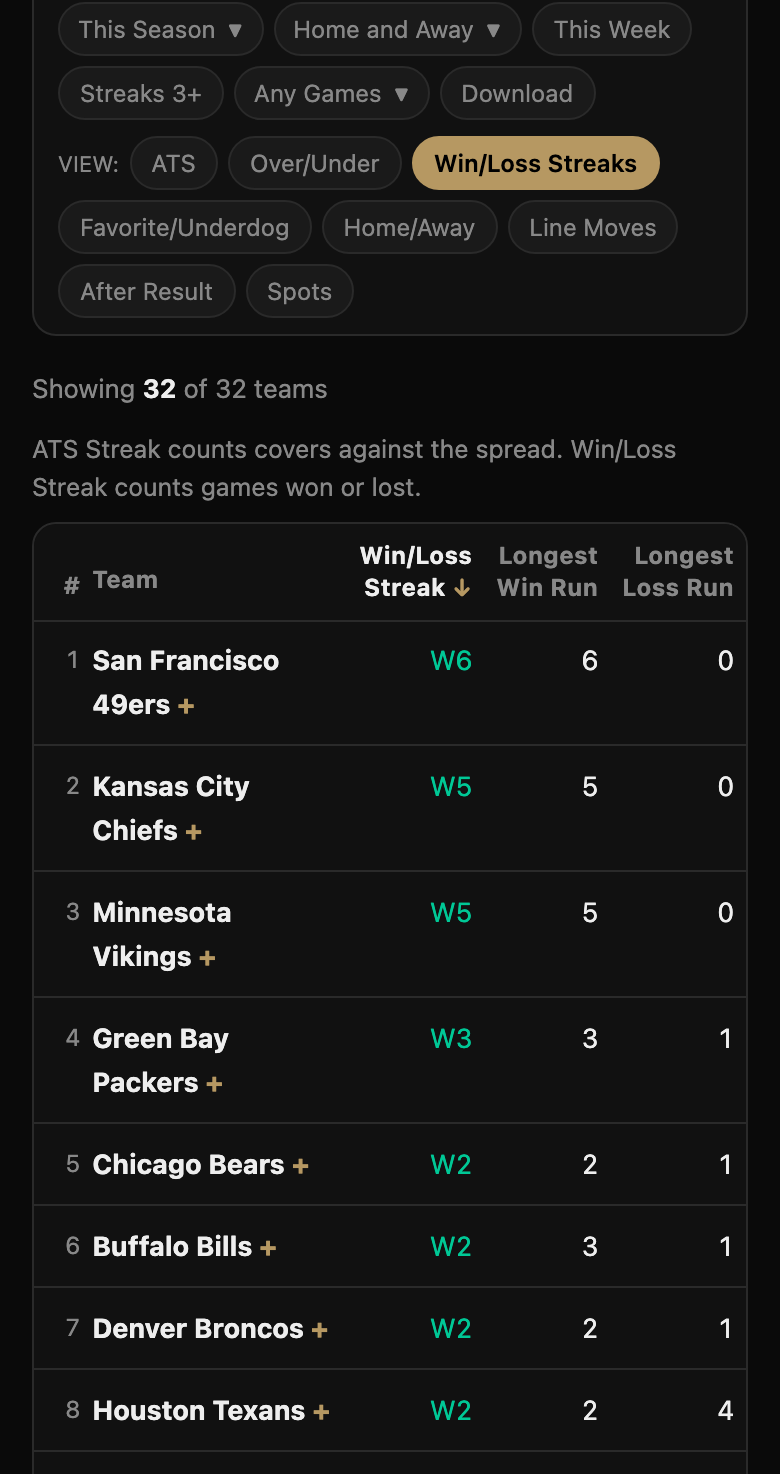
Team trends download free as CSV or JSON, so you can work with them in a sheet.
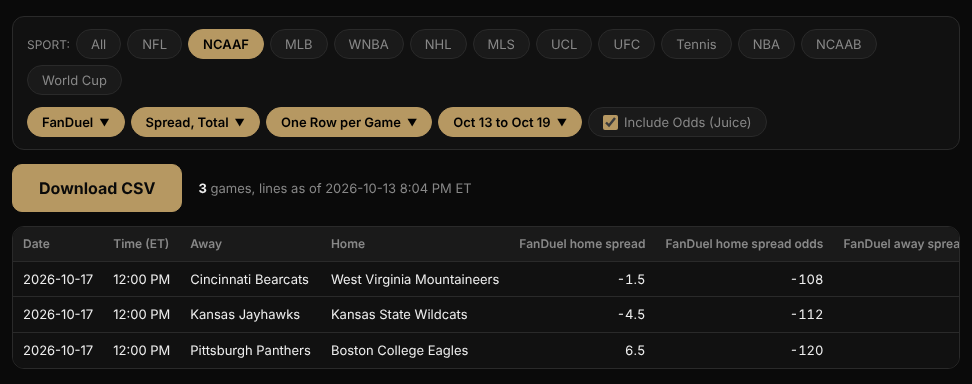
Pick a league and the books you use, and download the week's lines as a CSV that opens in Google Sheets or Excel. Add the opening line and the consensus, the moneyline, and the odds if you want them, each in its own column. Every line is a plain number, so the sheet sorts and does math with no cleanup. Times are in your own time zone, named on the sheet and in the file. Or pick Classic Linesheet for the sheet you print and write on: two rows a game, away on top and the home team marked "at", each game its own shaded block, grouped by day, each team's record this season straight up, against the spread and over/under (for every league Team Trends covers), an empty Notes column, the AP Top 25 rank for college teams, and one number per row in each book's column (the spread on the favorite's row, the total on the underdog's, written with ½). Print / Save as PDF fits about 40 games on a letter page (fewer for soccer, which takes three rows a game). Every sport we carry has one, with a filter that follows the sport: conferences, Power Conferences and Top 25 for college football and basketball (each team's conference in its own column, Other when we cannot place it), divisions for the NFL, NBA, NHL and MLB, conferences for the WNBA, the competition for soccer, the card for UFC and the tour or event for tennis, carried into the CSV, the Excel file and the print. College basketball shows the AP Top 25 and the USA Today poll. Today and This Week are one tap. Free, no sign-in.
Tools that do the math with every book's price already loaded, so nobody types odds in by hand.
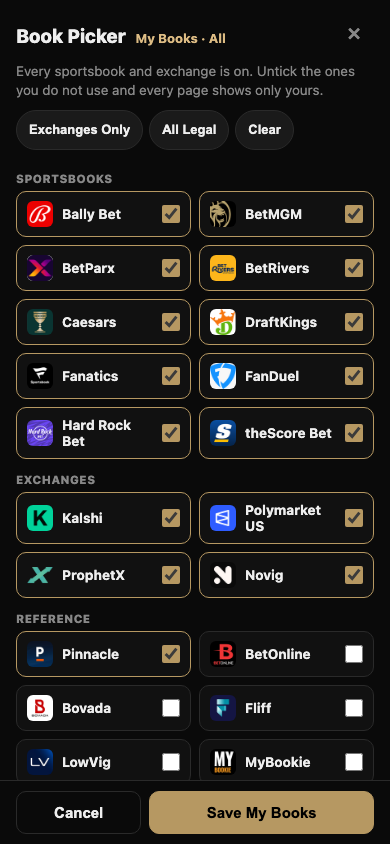
Tick the sportsbooks and exchanges you use, and every board, tool and alert on the site shows only those. It opens from My Books at the top of every page, or from Settings. Every book is selectable wherever you are; pick a state and the books not legal there are greyed. Presets for Exchanges Only, All Legal and Clear sit inside it. Signed in, My Books and the Boost Wallet follow you to every device; signed out, Settings has Export and Import to move both as one small file.
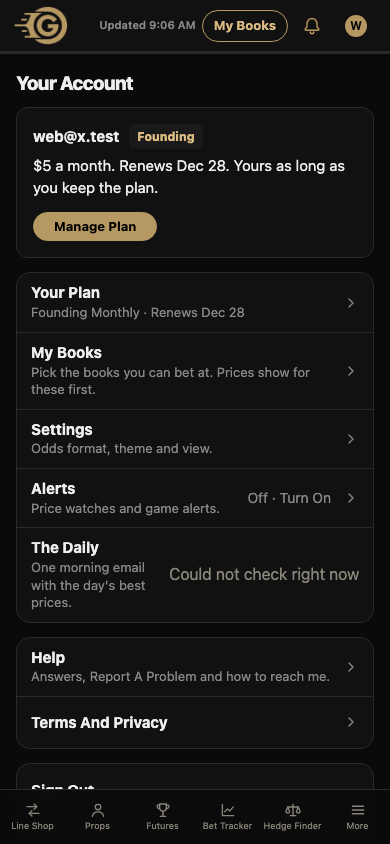
Tap the person icon at the top of any page: your plan with its one button, then My Books, Settings, Alerts, The Daily, Help, Sign Out and Delete Account as one list. The top bar also shows when the prices were last updated, on every page.
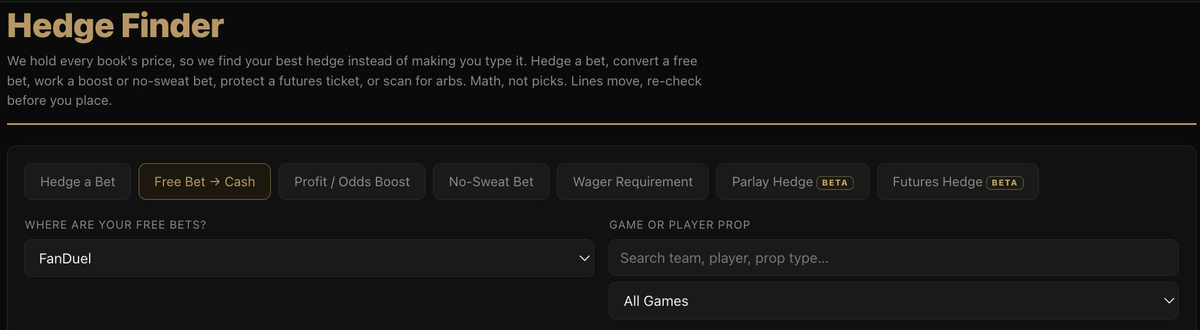
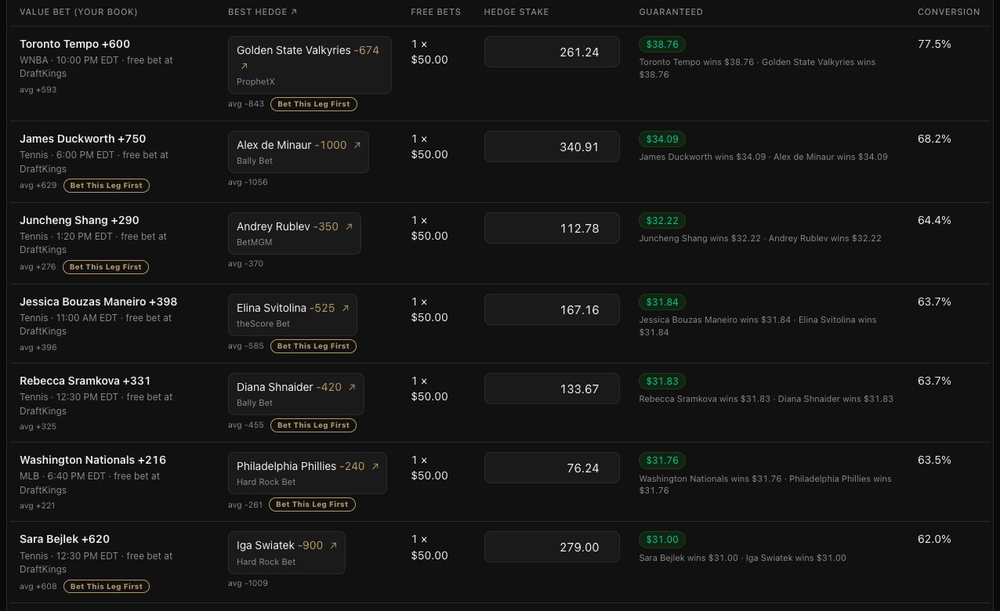
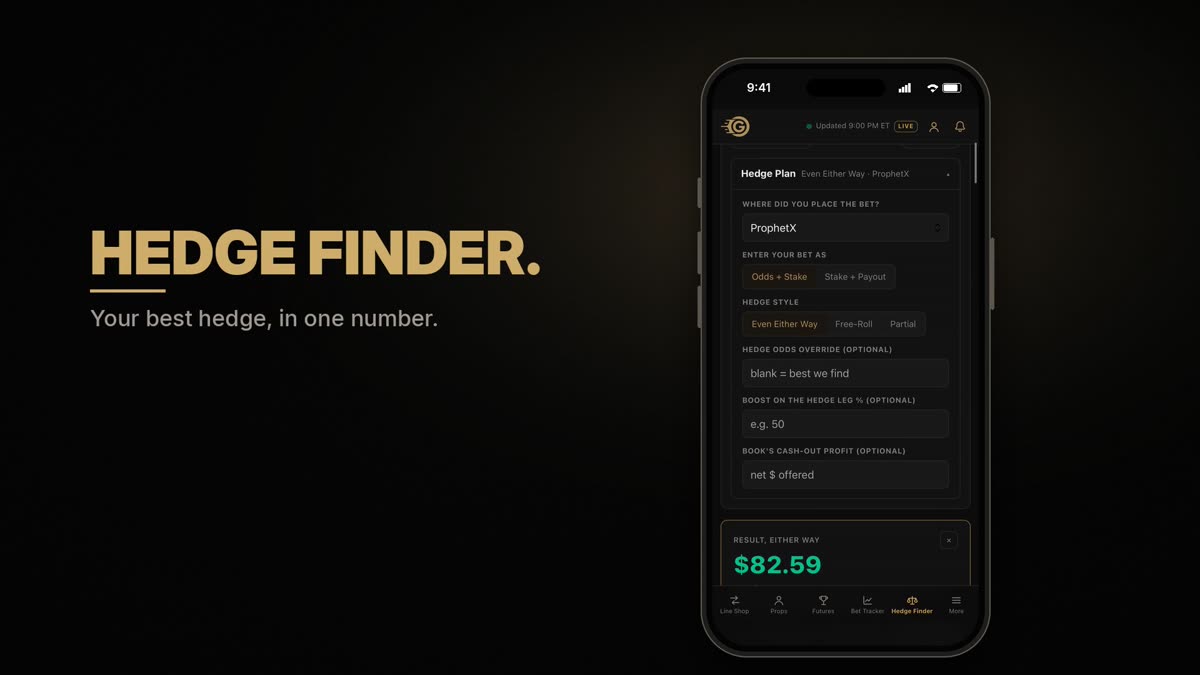
Pick the bet and we find the best price on the other side across every book, then work out the stake. Seven modes:
Parlay Hedge and Futures Hedge are part of the free Live Beta.
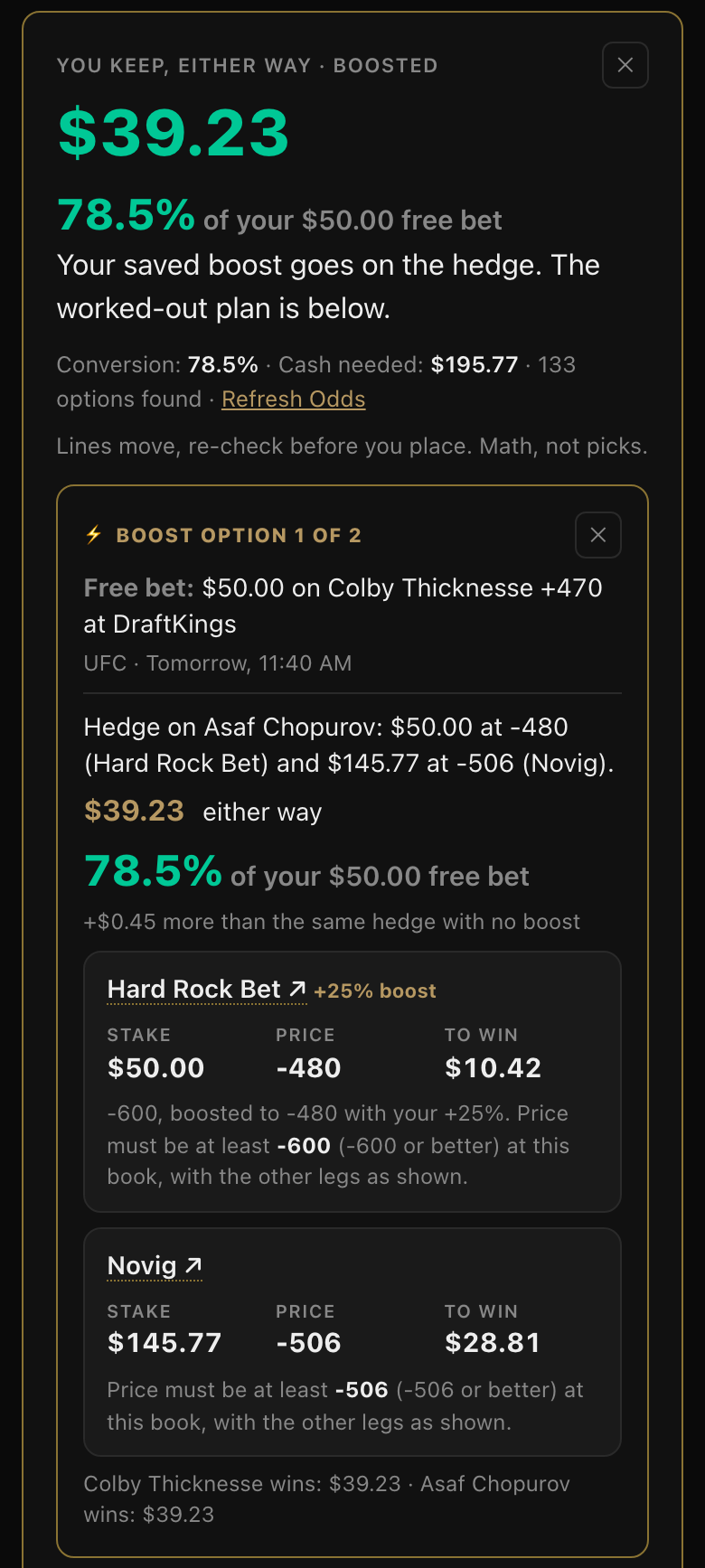
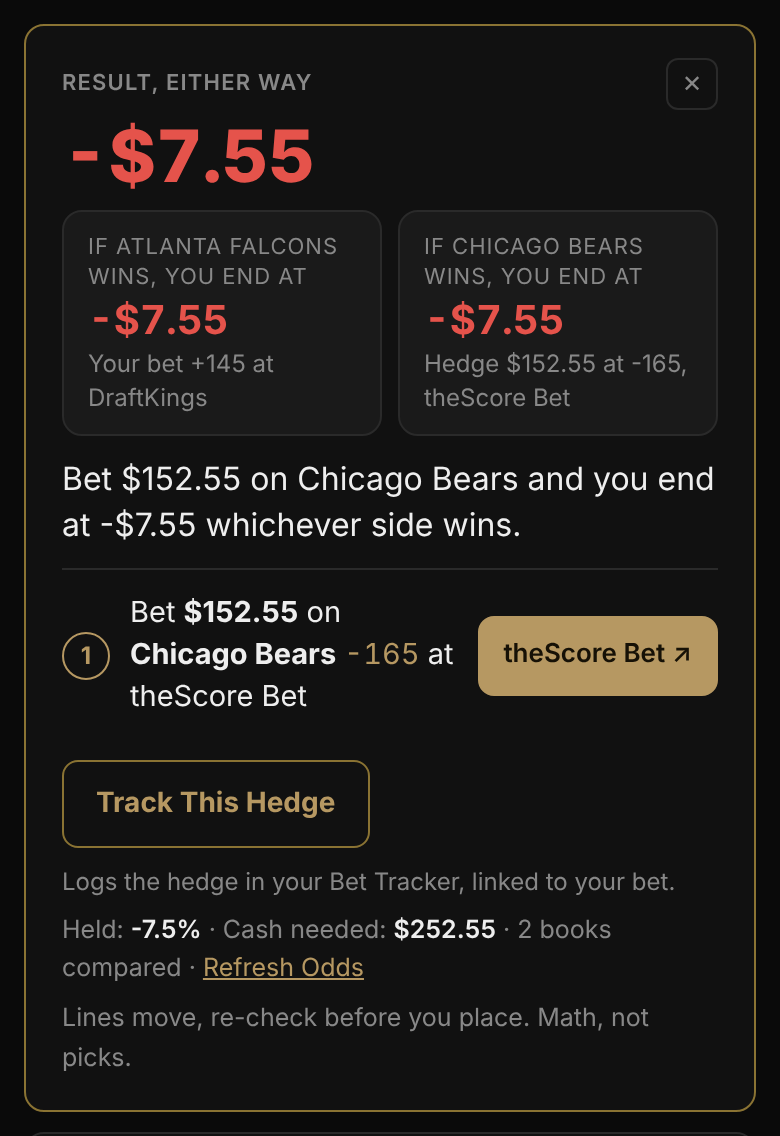
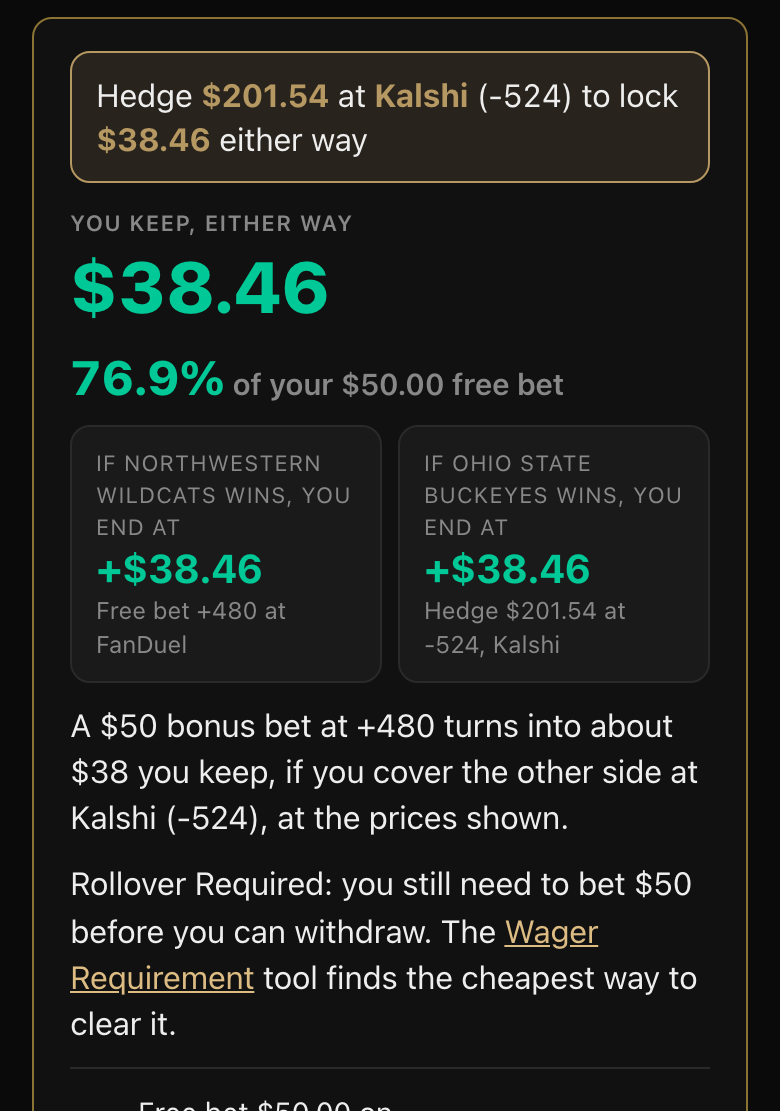
Every answer leads with what you keep either way. Free Bet → Cash, No-Sweat Bet and Wager Requirement also show it as a share of the bonus, in green (in red when it is a cost). Each hedge leg names its book, stake and price, the boosted price beside the regular one when a saved boost applies, and the worst price at which the plan still comes to that figure, so you can check the book before you place. What you type stays in place when you leave the tab and come back, for 24 hours, with a Clear link to start over.
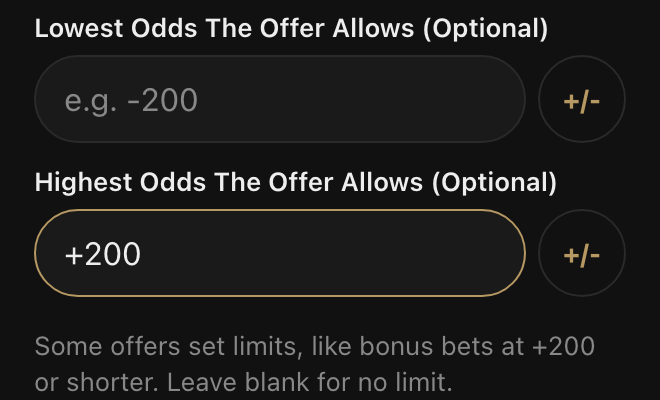
Free Bet → Cash, Profit Boost and No-Sweat Bet take the offer's own odds limits from its fine print: Lowest Odds The Offer Allows and Highest Odds The Offer Allows (a bonus bet capped at +200 or shorter, say). A price outside them is never suggested for the bet the offer goes on (the soccer three-result panel, where you pick the result yourself, flags it instead), and American or decimal odds both work.
When you hedge a bet you choose your goal, and the stake is worked out for it:
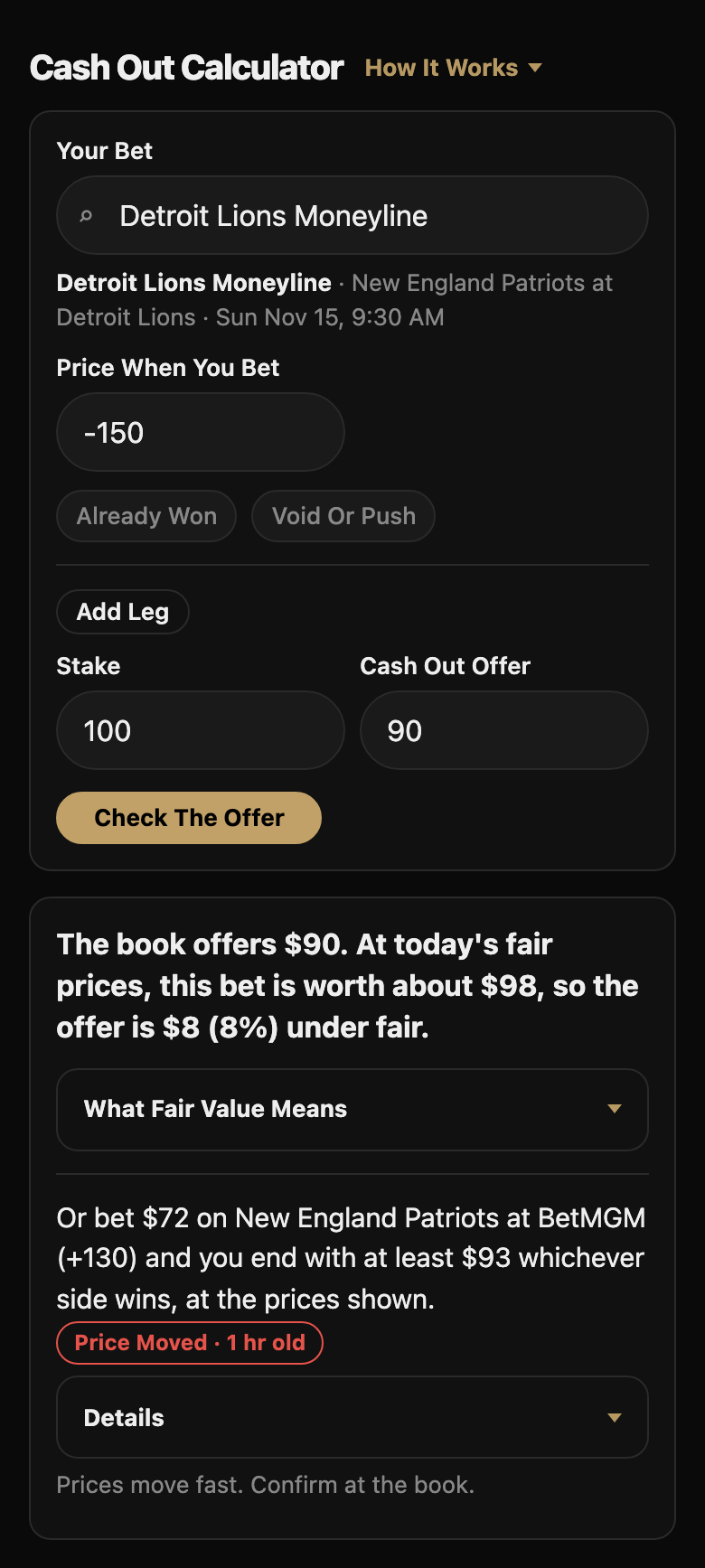
The Cash Out Calculator takes an open bet (a straight bet or a parlay, picked from the board by typing a team), the price you got on each leg, your stake, which legs already won, and the cash-out offer your book shows. It answers in one sentence: what the bet is worth at today's fair prices (the sharp book's price at your line with its margin removed) and how far the offer sits over or under that, with "about the same as fair" inside 3%. Beside it, the hedge at the best price right now and what it leaves you whichever side wins. Fair value is an estimate, not a forecast of profit; the page never says whether to take the offer. A started game is valued only from a live sharp price, a void leg is taken off the ticket, and a prop, a same-game parlay or a market we do not carry gets a plain "we can't value this" instead of a guess.
The Bonus Bet Converter is the Hedge Finder's free-bet math on its own page: type the bonus bet and the book, and it names the bet and the cover that turn it into the most cash at the prices shown, plus what any rollover still needs.
One menu item, Profit Boosts, with three tabs, and it opens on the tab you used last. Wallet holds your boosts and nothing else: each one is a pass in its book's color with the boost % in big type, the cap under it ("On Up To $25 Bet"), and the expiry as a plain countdown ("Expires Today 11:59 PM", "6 Days Left") that turns amber inside 24 hours; tap a pass for its rules in plain words. Add Boost asks for four things (book, boost %, max bet, expiry), with every other rule under More Rules. Save the profit boosts your books give you in the wallet, tap Generate, and Boost Arb checks every one against the whole board: where to bet each side, the exact stake, and what you keep either way. Boosts are saved in your browser with no account; Live Beta members can sync them across devices. Tap More, then Edit, on a saved boost to change its %, max bet, expiry or terms without deleting it. Every soccer league we price is covered, and a soccer moneyline is three bets: the boost on one result, the other two at their best books, and Boost Arb's filters can keep them apart (Never Both Teams At One Book, or Three Different Books). A boost can cover one game, several games, a conference (Big Ten, SEC and the rest) or a list of teams, and Boost Arb, Best Uses, game pages, the Line Shop and the bet slip use it only where it really applies. Every bet shows how old its price is.
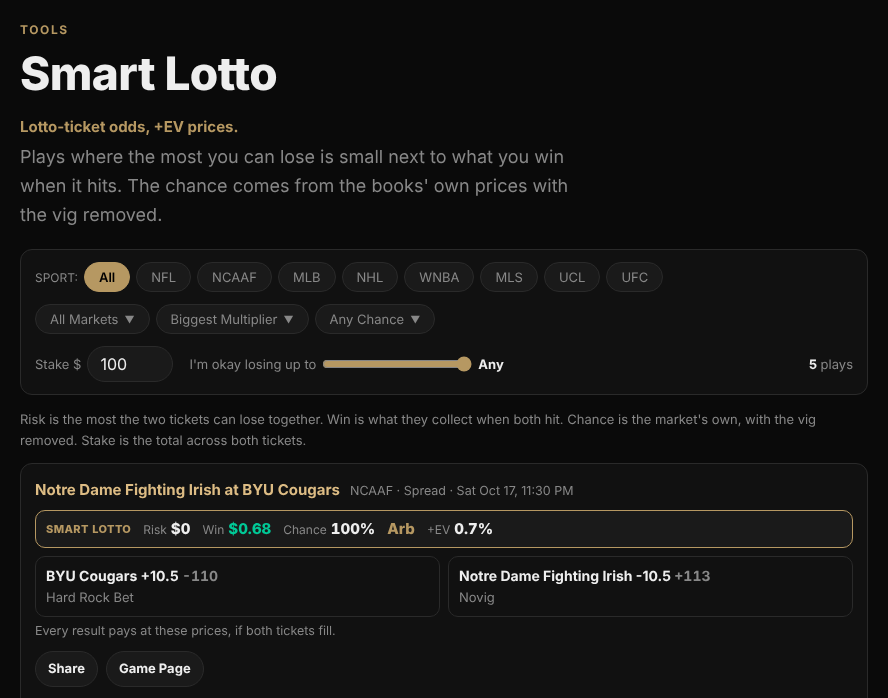
Two bets at different numbers. Lose a little if the result misses the window, win both when it lands in it. Every play is a middle on a game line or a player prop, at your own books, that wins at least five times what it risks, has under a 25% chance of landing in the window by the books' own prices, and sits above break-even at the fair price. No arbs (they live on the Arb Scan and the Hedge Finder) and no single long shots (they stay on the +EV board). Type what you want to Risk (the most a miss loses, $10 to start) and every play is sized to it: "Risk $10 to Win $190, 19 to 1", with the Chance it lands in the window (the books' own prices with the vig removed) and how far the play sits Above Break-Even (hit chance times payout against what the tickets cost; not a forecast of profit). How To Bet ends with the total across both books. Filter by league, market, a minimum payout from 5 to 1 up and the chance; sort by payout, Above Break-Even, chance or win.
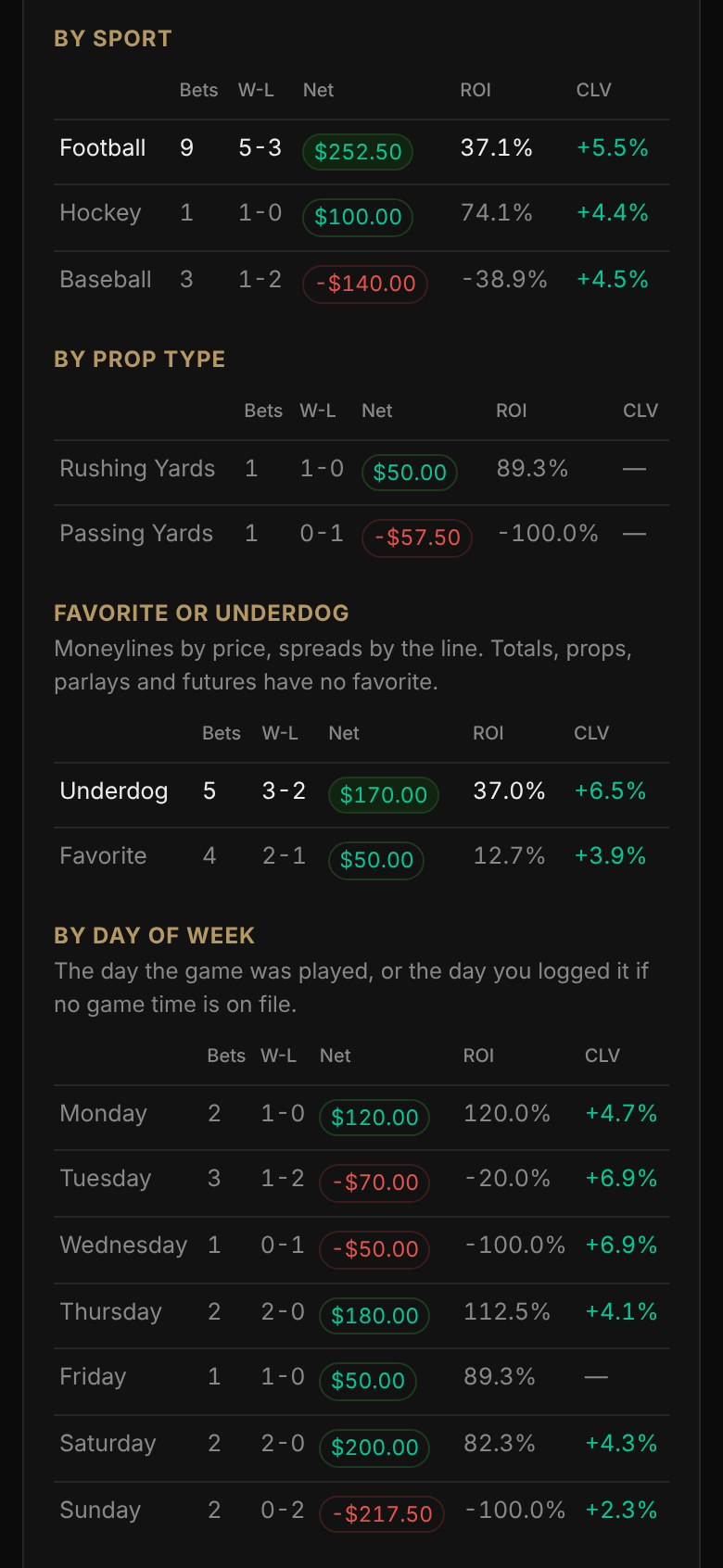
Log a bet and it fills in the best book and price. Bets settle from final scores, and with the Live Beta the tracker also records whether you beat the closing line, the number that says whether a bettor is getting good prices over time.
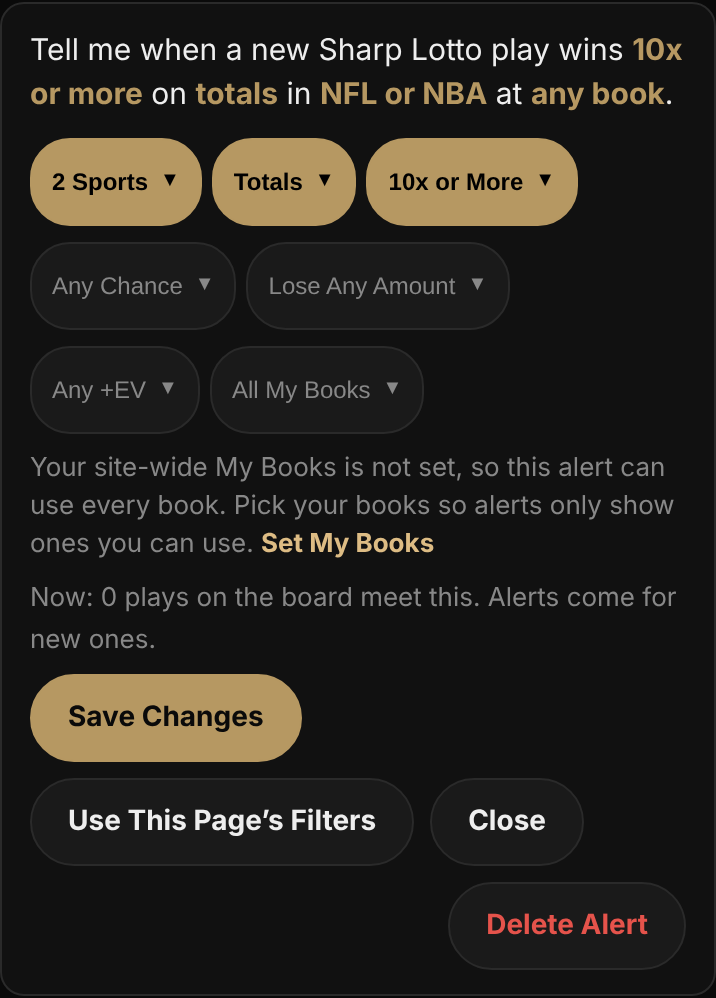
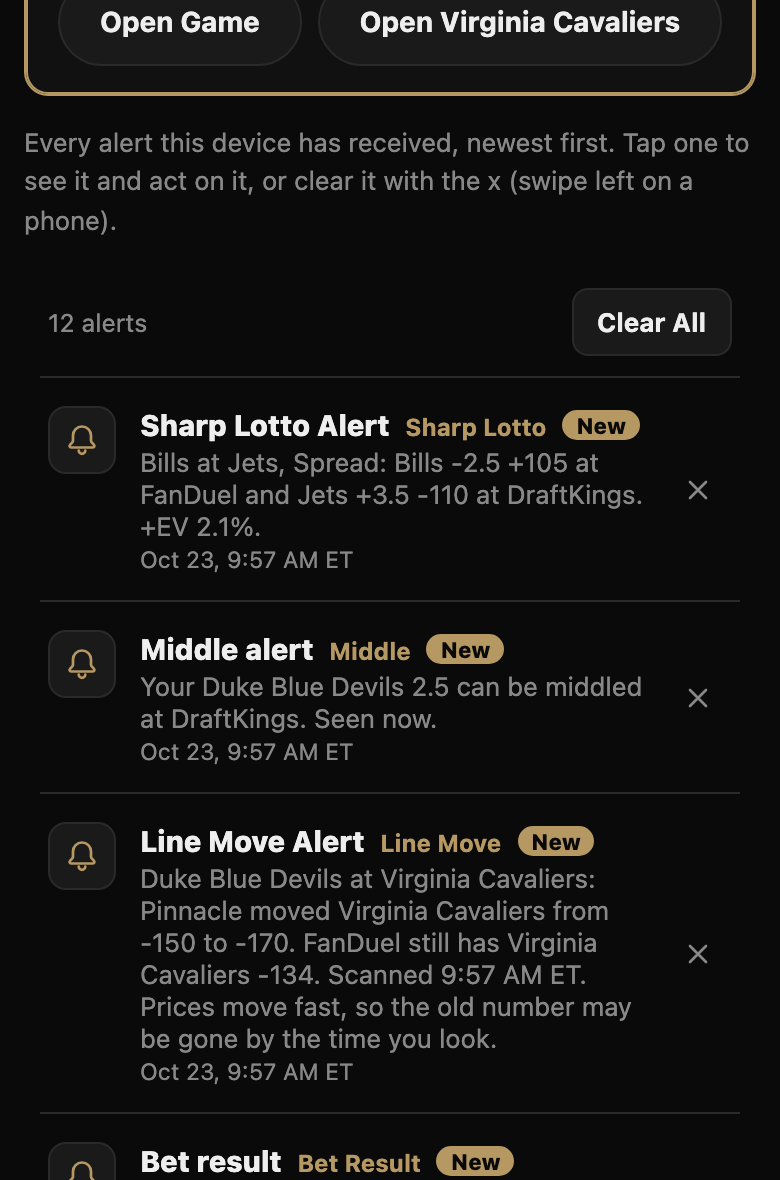
On the website, hedge alerts, bet results, middle alerts, Gap and +EV alerts, Sharp Lotto alerts, line move alerts and price watches come with the free Live Beta. Game reminders are in the iPhone app.
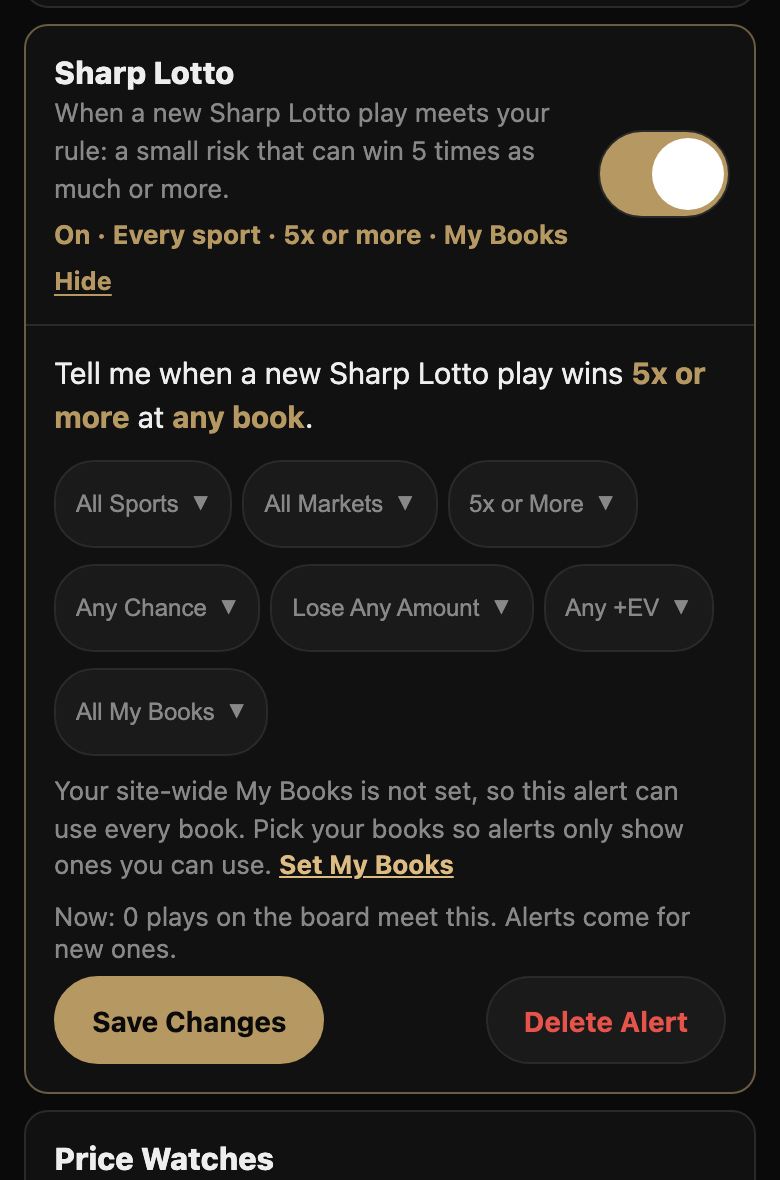
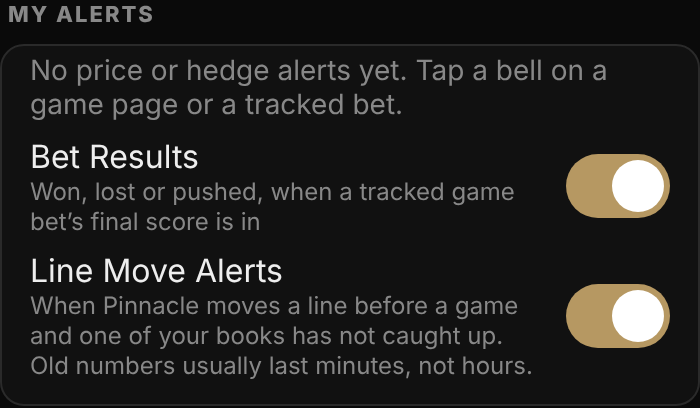
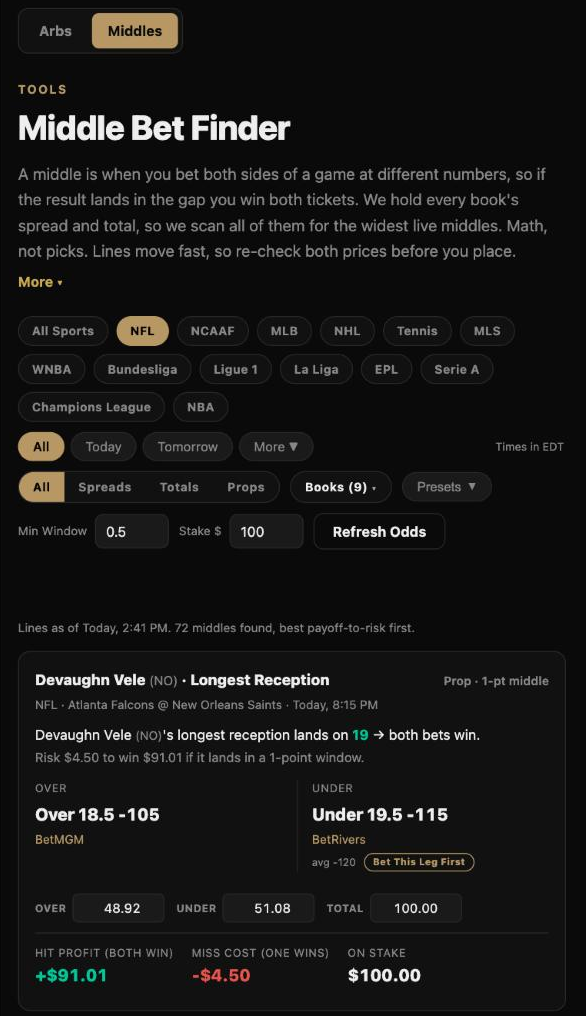
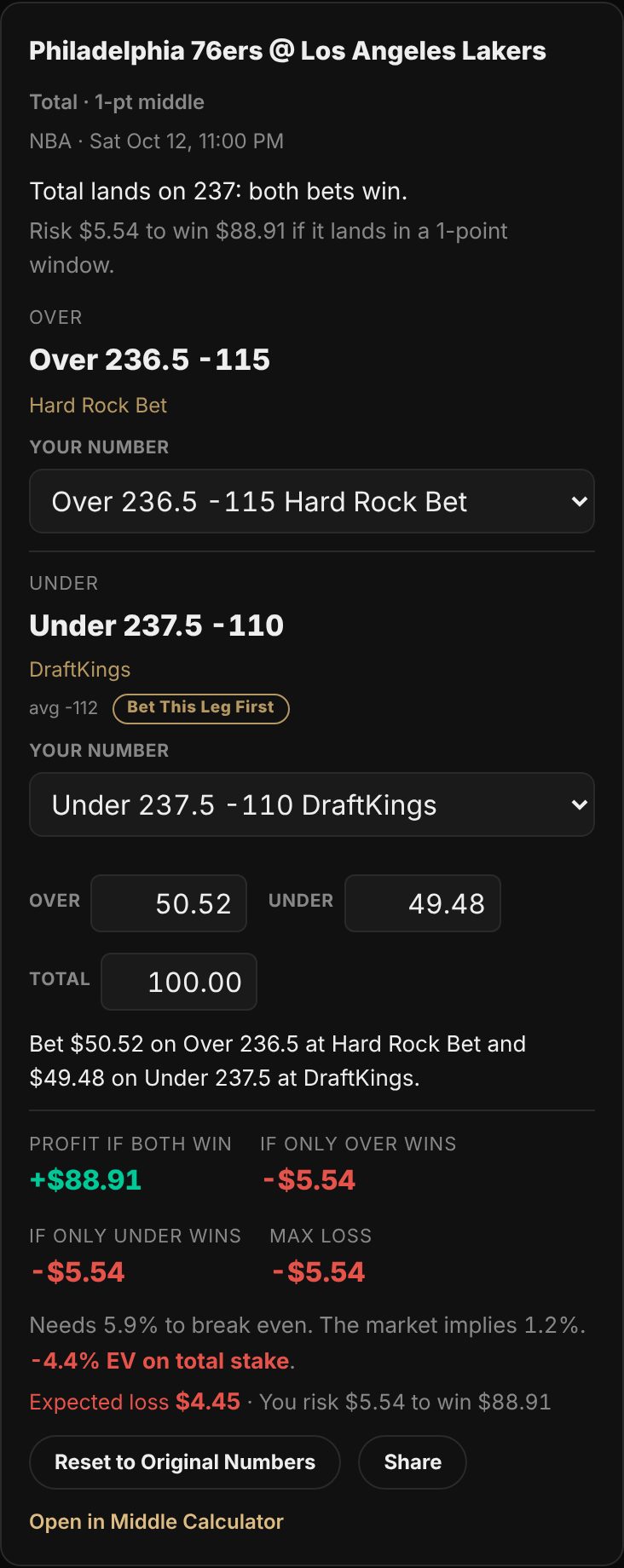
The same boards in an app: the Line Shop, props, futures, live games, the bet slip, line history, the Hedge Finder and the Bet Tracker, one tap from your home screen. Add your email for live prices, still free.
Get It on the App Store → · Get It on Google Play → · About the App →
Prices inside your server. Setup takes about three minutes.
Members type /odds, or just @TOG Bot with a question, and get every book's price, best first. It asks for four permissions (View Channels, Send Messages, Embed Links and Read Message History) and ignores every message that is not a slash command or an @ question, except slip images in the Slip Tracker channels you pick, and, in a channel set up for a capper, that capper's own posts. Every link it posts goes to theoddsgap.com, never to a sportsbook. In Slip Tracker channels it also looks back over the channel's recent messages every 30 minutes, so a slip it missed while restarting is still recorded.
| Command | What it does |
|---|---|
/odds best | Top 5 prices for one exact bet, sized to drop right under a pick post |
/odds game | Moneyline, spread and total for a game, best price first |
/odds prop | Every book's over and under price for a player prop |
/odds future | Futures boards, favorites first |
/odds parlay | Up to 6 legs; shows which book pays the most for the whole parlay |
/odds hedge | Enter a bet already placed and see every hedge price ranked |
/odds ev | Today's +EV plays: prices better than the market's fair line |
/odds middles | Over at one book, higher under at another, so a result in between wins both |
/odds ask | Ask TOG Bot price questions in plain English, 10 per member per day. Or just @TOG Bot with the question and it replies in the channel. Dan switches it on per server, free for the first 30 days |
/odds help | Quick how-to |
/oddsadmin | Server managers only: turn commands on or off, hide books your members can't use, set up alert feeds, set your state |
/oddsnote | Server managers only: read The Odds Gap's note about paid plans and your member link, and choose whether to post it, once |
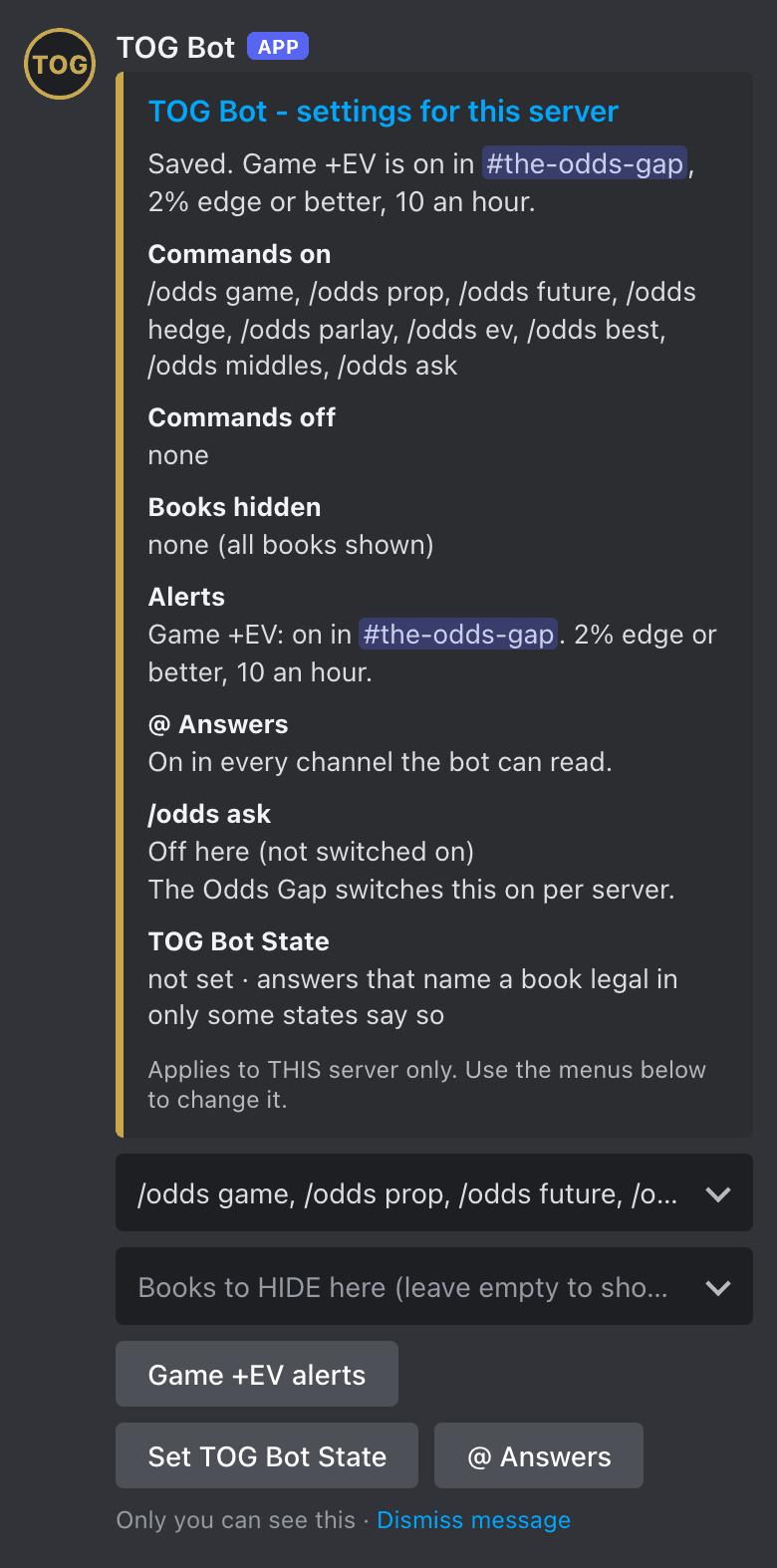
Alert feeds (with the live board on): +EV plays posted to up to 5 channels you pick, when a price is 1, 2, 3, 5 or 7% or more above fair, capped at 5, 10 or 20 an hour or no cap.
How fresh: out of the box, game lines refresh hourly, props every four hours and futures daily. With the live board on (Dan switches it on for a server), sportsbook game lines refresh every minute for games inside 24 hours, and futures hourly.
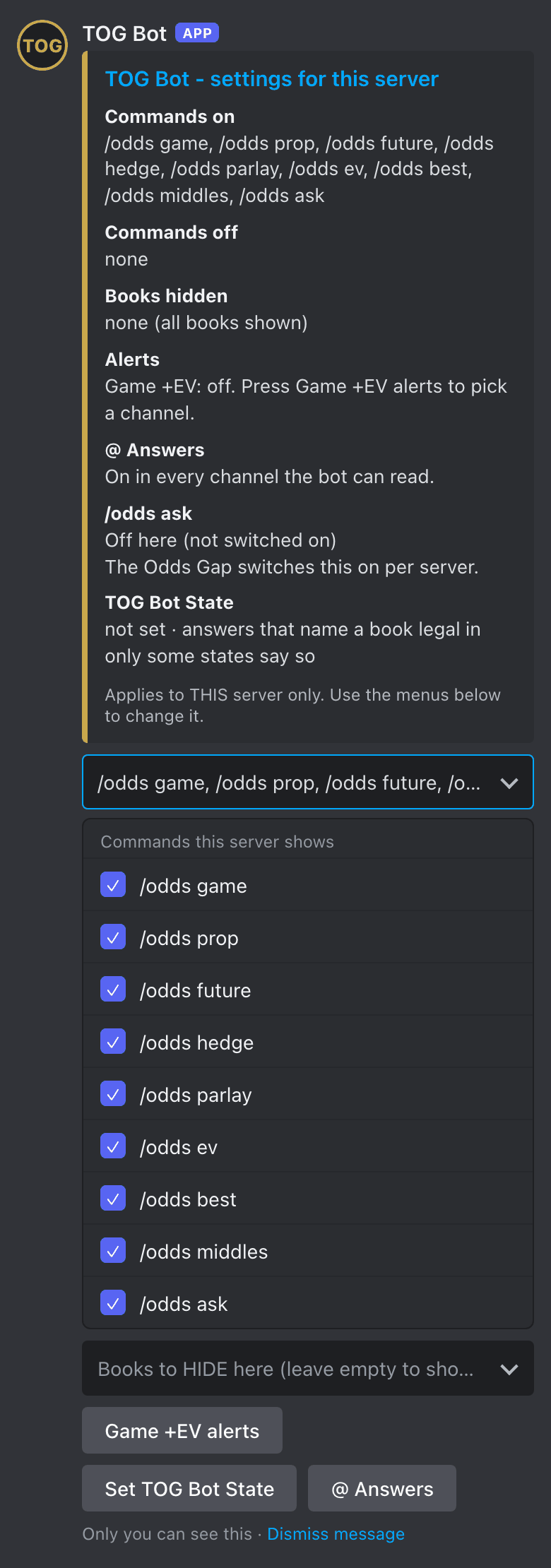
Add it from Add To My Server on theoddsgap.com/slip-tracker: one Discord screen adds TOG Bot and signs you in (you need to own the server or have Manage Server), you tap each channel to track and say whose picks post there (you, a member you find, or Members Post Their Own), and your dashboard opens. Posts that came in before a capper was set are read once he is picked, inside your monthly reads. Every new server is approved by us before tracking starts, usually within a day: you add your email, send it to us, and nothing is read until we say yes. A channel you stop using can be archived in Settings: reading stops, every bet stays, and it waits under Archived until you bring it back. Or turn it on for a channel with /slips setup. A server can track one channel per capper: add capper:@member and every play that person posts there counts under them: slip screenshots, and plays typed in words ("Here is my NHL play: Dallas Stars ML (-120), 1 unit"), with the slip picture they post a minute later read as the same bet. A short follow-up like "0.5u each" or "-115 1u" gives its size and price to the slips posted just before or after it, a play with units but no price waits on your dashboard for the price, and recaps, results and "Cash it" replies are never counted as new plays. A slip someone else posts in a capper's channel waits for your OK before it counts for the capper. /slips channels lists them and /slips remove stops one. When a member posts a bet slip screenshot there, the bot reads it (book, bet type, legs, odds, stake) and posts nothing in the channel: no thread, no reply, no buttons. A slip it reads for sure, with every leg matched to a game we track, is recorded with no tap from anyone and graded from our final scores once the games are final, with closing line value where we stored the closing price for that exact line. Games our board does not carry are graded from ESPN's results: soccer in every competition ESPN covers on the score at 90 minutes (a draw loses a team-to-win pick; draw no bet, double chance, both teams to score, team totals and halves too; "to qualify" counts extra time and penalties), tennis and UFC moneylines, college football in every division and college basketball, by the code the book printed. EuroLeague and EuroCup are graded from the league's own results, and so are the other leagues books take bets on wherever a league publishes its results for free: hockey in Austria, Sweden, Finland, Germany, Switzerland, the Czech Republic and Slovakia, the KHL, the Champions Hockey League and college hockey (overtime and shootouts count on a moneyline, puck line or total, and a 60-minute three-way bet is graded on 60 minutes); minor league, winter league and Japanese baseball, college baseball and the World Baseball Classic; the CFL and the UFL; the G League, women's and Division II and III college basketball, Australia's NBL and the top leagues in Italy, Germany, Greece, the Adriatic, Korea and Japan; rugby union and the NRL; the AFL and AFLW; international and league cricket; lacrosse; college volleyball; PFL fights; snooker; and tennis doubles. A bet on a league no free source covers comes to you with that reason, never a guessed game. A bet on part of a game (a half, a quarter, a period, the first five innings, no goal in the first five minutes) is graded on that part of the game, never on the final score. A screenshot of several separate bets, each with its own stake or ticket, counts each one, and a price printed as a multiplier ("1.81x") or as an exchange's chance is converted exactly to odds. A slip whose game could not be found yet is looked for again every half hour for three days, approved or not. A play edited or deleted in Discord before its game starts follows the edit; after the start the record keeps it as first posted, and a play posted after its game started is flagged for you. Before anything goes to your review queue it is read a second time by a stronger reader; only a slip still missing something lands there, with one line saying what, because a wrong grade is worse than a missing one. Fixing a read, picking whose bet it is, adding odds, grading by hand and Re-read (read the Discord post again) all live on your dashboard. Bets are graded automatically, and owners can fix a grade, marked when they do: the bet shows Graded By The Owner to everyone who can see it, and the record says how many of its bets the owner graded. Grade This Bet on any bet's page sets Won, Lost, Push, Void or Cashed Out, each leg of a parlay on its own with the payout worked out from the legs that still count, and a Book Paid Something Different? box for when the book paid another amount, with Undo for 10 seconds. Needs A Grade in Records lists every finished bet we have no result for, one tap each. Every fix an owner makes is kept, so the reader learns a posting layout after the same fix three times, and the owner sees what it learned under What The Bot Learned. Every bet counts on the day its game is played, in Eastern Time, and a bet on a league with no results source counts on the date its slip shows; the owner or a dashboard admin can tap a bet and use Change Day to set the day it counts on (the bet then shows who set it), and Use Game Day puts it back. A bet counts only when the bet, the odds and the stake are all known: one missing any of them waits in your Review Queue until you add it, and the same bet posted twice counts once. Plays a capper sends through Winible are read the same way in a slip channel, the text and the slip picture under it together: the units and price from the post ("0.50 units / +140"), the legs, book and bet type from the picture; leans, write-ups and announcements are skipped. A server manager can log a bet for another member by @mentioning them with the slip, or pick the member in Whose Bet? on the dashboard, and the owner can switch the dashboard to Units Only. A channel can keep its own record instead of a person's (record:Name), shown in its own Exclusive Bets section, and in a channel set up with middles:True both sides of a middle count as one play, graded Hit or Miss, with hit rate, units and the average gap.
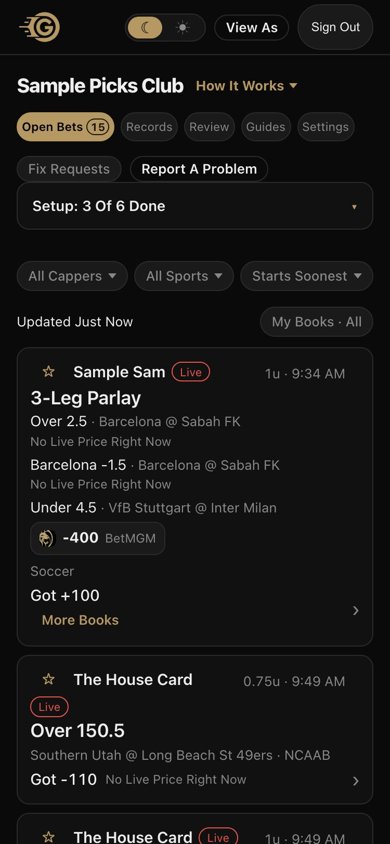
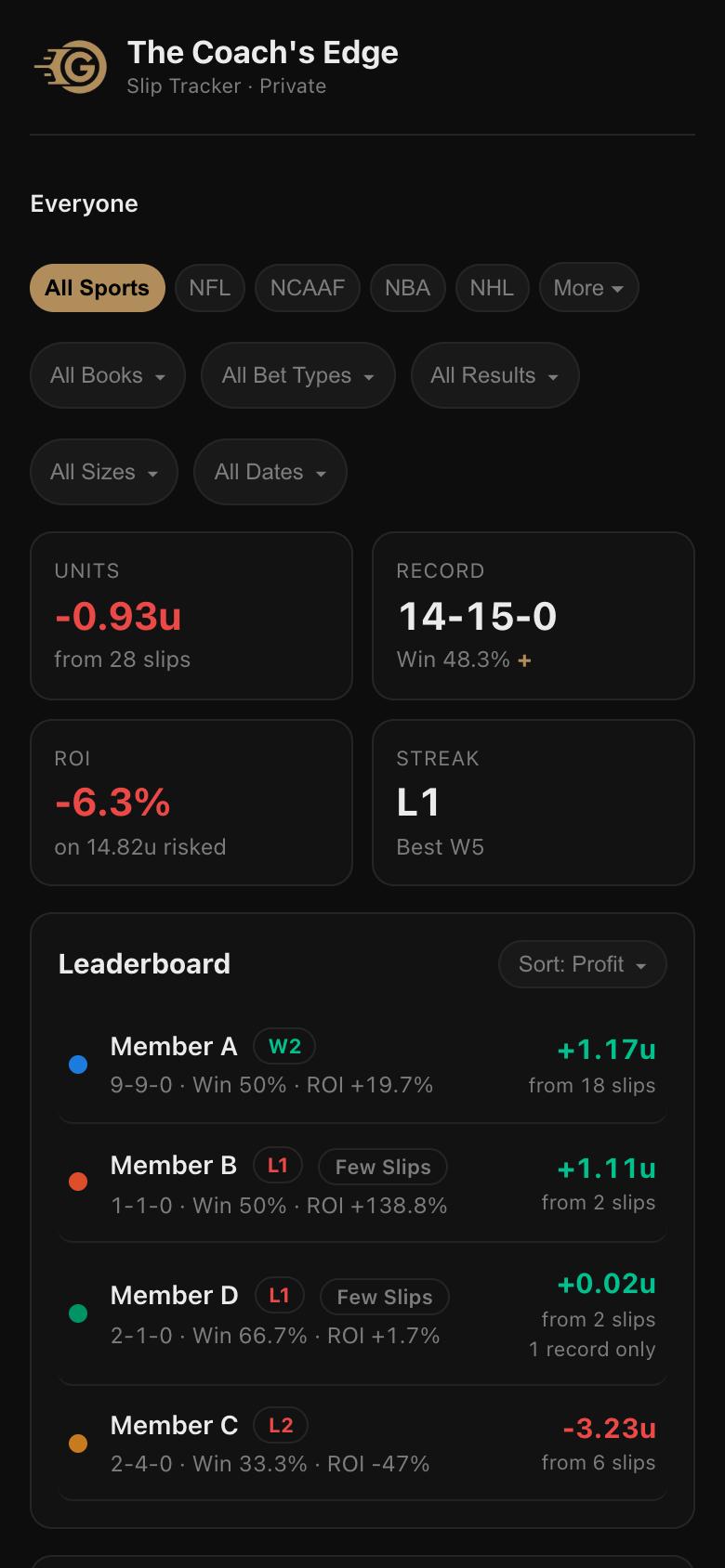
Everything lands on your server's own private page, at theoddsgap.com/slip-tracker/ followed by your server's name (for example /slip-tracker/example-sports-club), that only you and the people you give its password to can open. The server view opens on Open Bets: every bet posted and not graded yet, one card each. A card says the capper, the units and when the game starts in your own time zone, then the bet itself in big type (a parlay lists every leg, one a line), the game once, the price the capper got, and the best price for it at your own books with that book's logo; tap it to open the book there, and More Books shows the rest of your books right on the card. Pick your books once with My Books, the same choice the Line Shop uses. A game in progress stays on top and shows the live price at each book with its time, or says No Live Price Right Now; a parlay under way shows each leg's own price, a same game parlay shows each leg's price instead of a made-up total, and a pick'em entry is compared with the same picks as a parlay, labelled As A Parlay. One row of dropdowns filters by capper and sport and sorts by Starts Soonest, Newest, By Capper or By Game. Tap the star by a capper's name and My Favorites shows only the cappers you follow; nobody else sees your stars and there is no count of them anywhere. A small New mark shows what was posted since your last visit. Tapping a card opens the bet's own page: every other book, Tell Me If It Gets Back To the capper's price, Add To My Tracker, Hedge This Bet on a straight bet, the capper's slip, when it was posted, the game's page and Report A Problem. A member's saved boost shows on the book that issued it when it fits that exact bet, and an exchange's price says how much is available at it. Each capper or channel record can have their own unit size under Settings: it changes only the dollars shown for their bets, never their units. A capper signed in with Discord can set their own in My Unit, for bets posted from then on (bets already posted keep their dollars), unless the owner turns on Owner Sets Units; Settings shows who set each one. It refreshes on its own every minute, so a bet drops off once it is graded. Then the server's totals (units, record, ROI and streak for members and Exclusive Bets together), then each Exclusive Bets channel's record, a leaderboard of every member (profit in dollars or units, W-L, ROI, CLV and current streak) and one profit-over-time chart. The owner picks which lines that chart shows (All, each channel, each member), and everyone who opens the page sees the same chart. Tap a member for their own chart and their results by sport, book and bet type; tap a slip to see its screenshot beside what was read from it, each leg's final, and the closing line and CLV. Sport, book, bet type, channel and date filters redraw everything. Owners can export it all as CSV. Owners can also tap Share on a record, a member, the whole server or a graded slip to make an image of it. The top Share button follows the filters on screen: pick one channel and it reads Share Parlays Card (that channel's name) and makes that channel's card, pick a member, sport, book, bet type or dates and the card narrows the same way, and its numbers are always the ones on screen. Only the owner makes cards for the whole server and its channels; each capper makes cards of their own record (see below), and members can see the dashboard but make no cards. Pick this week, this month, the season, one day or any From and To dates, a square, story or wide size, the same colors and fonts as the Pick Card (theme, accent, text and background colors, four fonts) and your own logo or photo. The Logo Style menu shows the logo six ways: Box, Fade Edges (its edges melt into the card), Banner (across the top, over a soft blurred copy of itself), Faded Background (large and faint behind the numbers), Full Background (the whole logo behind the card under a dark wash) or Full Background Soft (the logo blurred to fill the card), A new logo sets the card's background, accent, text and font to match it by itself, always kept readable (a logo that is mostly one color, or a busy photo, gets a clean dark card instead of a muddy match), and Reset To Logo Colors brings the match back after you change a swatch. Change, remove or crop the logo any time without losing the rest of your look. Card Layout picks Summary or Summary + Bets, which lists every graded bet in the card's dates and filters, newest first: won or lost, the pick, price, units and profit, as many as the size fits (Story fits the most) and then how many more. The totals always count every bet. Change or hide any word on the card, then Save Image or Copy Image to paste into Discord or X. Your look and logo are saved for the server, so they are there on your phone and your computer. Every capper can have their own look too, once the owner has opened the dashboard to members: they run /slips mylook in Discord, the bot sends them a private link that works once, and from then on their cards wear their own logo, colors, font and card text. A capper who cannot see /slips mylook never needs it: the owner taps Send Link beside them under Settings, TOG Bot sends them the link in a private message (it works once, for 24 hours), and if their messages are closed the page shows the link with Copy Link to pass on. A capper changes only their own; the owner can change or reset anyone's, and a capper who has not made one uses the server's. The owner (and anyone with Manage Server in Discord) can run /slips mylook too: his link opens a picker of every capper, to see and set up each card exactly as that capper sees it. Every number on it comes from the tracker and cannot be typed over, and theoddsgap.com stays in the corner.
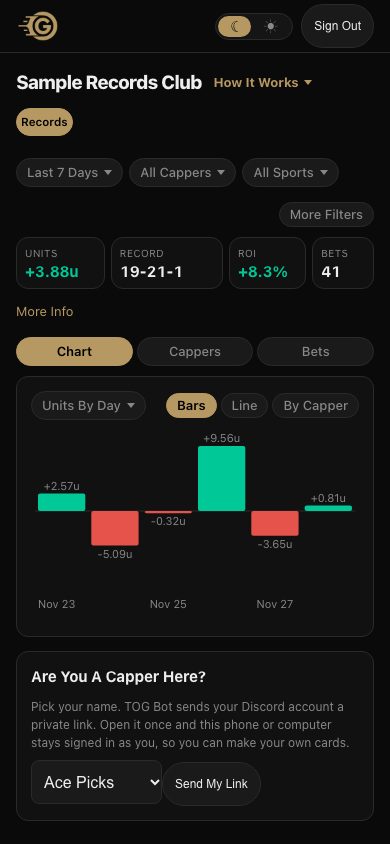
Records starts with four numbers in one row: Units, Record, ROI and Bets, with More Info under them for the win rate, the streak and closing line value (shown once at least 20 bets have a close, with the count). Under that, one section at a time: Chart first (units by day, week, month or one total, as bars, a line, or a line for each of the top five cappers), then Cappers (cappers and channel records in one list, ranked by return per unit only on This Month and All Time and only from 50 graded bets) and Bets (grouped by day with each day's record and units, the capper first and the pick in big type). On a computer the chart stays on the left. Records opens on the last 7 days, and the owner picks what it opens on for everyone in Settings, How Bets Count, Records Open On.
Round robins and teasers are graded too. A round robin counts as one play: it shows how many combinations hit and the real net, whether it is read from a slip or typed ("3 team RR by 2s, 1u each"). A teaser pays its printed price. A futures bet stays open until you settle it. Anything whose numbers do not add up comes to you with a plain reason.
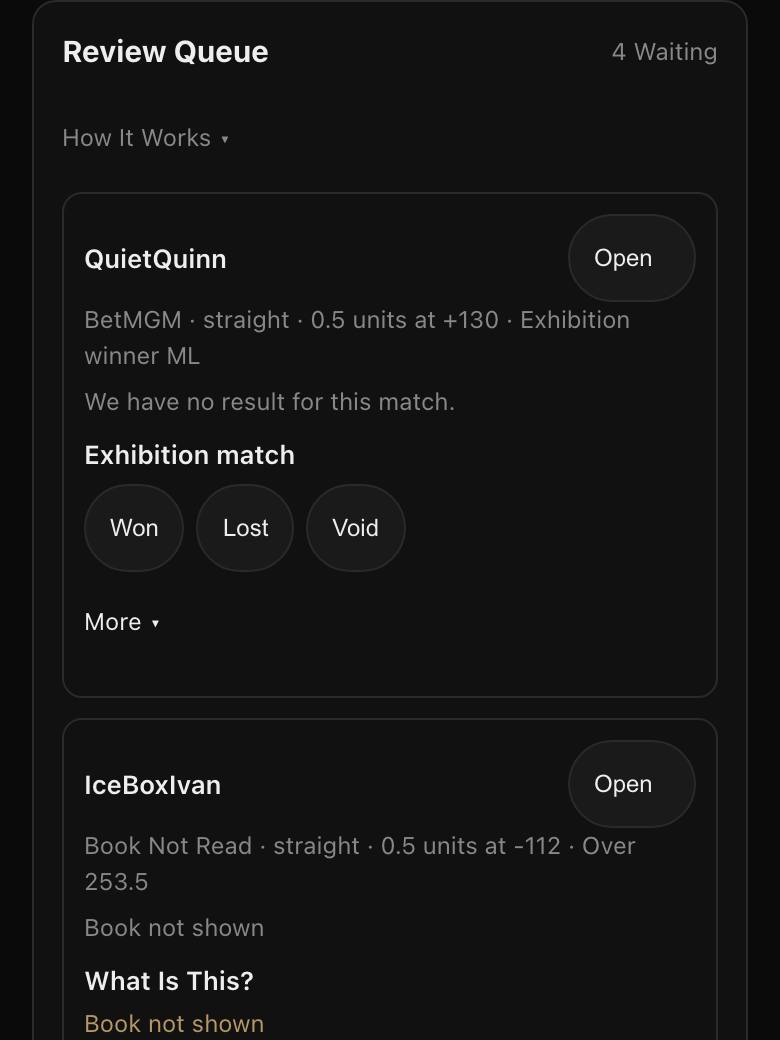
Bets the tracker could not read for sure wait in the owner's Review Queue, flagged at the top of the page with a count. The owner can also have TOG Bot send them a private Discord message when bets are waiting (as they come in, or once a day at a time they pick): just the count and a link, never the bets themselves, and it never posts in a channel. Members can opt out with /slips optout and delete their history. Each server's data stays private to that server. It records and grades what people already bet; it never makes picks. Three short guides, open to anyone, walk each person through it on a phone, one step per screen with a real picture and a button to the exact place: the Owner Guide (from adding the bot to a clear Review Queue), the Capper Guide (how to post so a bet records on its own, setting a unit, making a card, Auto Post) and the Member Guide (open bets, the best price at your books, saving your books). The owner sends one link per guide (Copy Capper Link, Copy Member Link) that knows the server, so a capper who signs in comes straight back to his next step; signed in, each step shows a check once it is done and the top says how many are left. How It Works on every dashboard tab shows that tab's steps, and a Setup list on the owner's dashboard shows what is done.
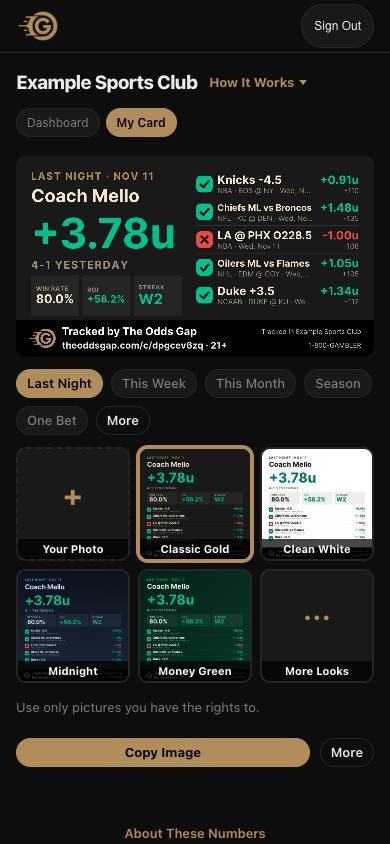
Every capper has a My Card tab. It opens on a finished card: last night's results when a bet settled, otherwise this week, otherwise the season. Under the card are What (Last Night, This Week, This Month, Season, One Bet, and More for Today, Yesterday, Custom and Cashed), Look (Your Photo first, then ready looks drawn with their own numbers) and one button: Share on a phone, Copy Image on a computer.
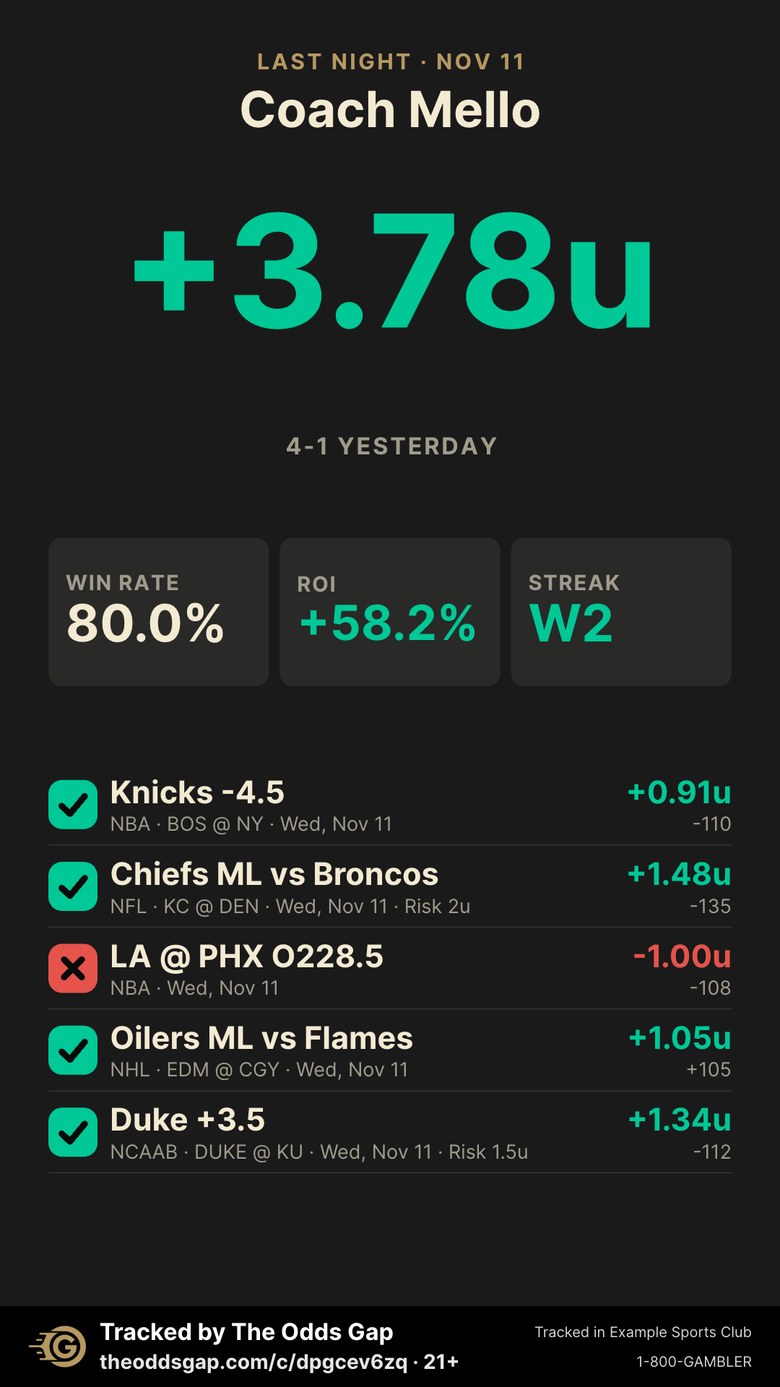
Last Night and One Bet list the plays with a tick or a cross. Add a photo and one tap picks how it sits: Full, Blurred, Dark Fade, Side Fade or Corner. The photo stays on the capper's own device. Cards are sized for Discord, X, a Story or a Square. Customize holds the rest in three groups, Layout, Style and Stats: Hot Streak (only when there is one: three wins in a row or more), Best Day Or Week, By Sport and Profit Chart, a logo, colors, a gradient, team colors, a headline, tagline and handles, eight fonts, twelve patterns, which stats show, and looks saved by name. The owner sets a Server Look in Settings that every capper's card starts from. A card never hides a loss inside the dates it shows. Every number comes from the record and cannot be typed. Every card says Tracked by The Odds Gap and 21+, and a card that is copied or shared carries a short address that opens a page of that card's numbers as recorded. The capper or the owner can turn that page off.
In Discord, /slips card posts a capper's card in the channel, in their saved look, for today, yesterday, the week, the month or the season, with a Check This Record button under it. The owner can post the server's card or a channel's. Auto Post: from the row under the button in My Card, a capper picks when his card posts (every morning, after his last game, every Monday, the first of the month or a time he picks), what it shows (last night, this week, this month, the season, or each cashed bet with his week's record beside it) and which of his looks it wears, with an optional line of his own. It posts only in his own channel, waits while a bet is still waiting on a grade, and posts nothing when no bet settled. Send A Test shows him the exact card first. The owner can turn Auto Cards off for the server or for one capper, and set the server card to a channel he picks. Nothing posts until someone turns it on.
The owner can tap View As at the top of the dashboard to see it and My Card exactly as any capper or role sees them, view only.
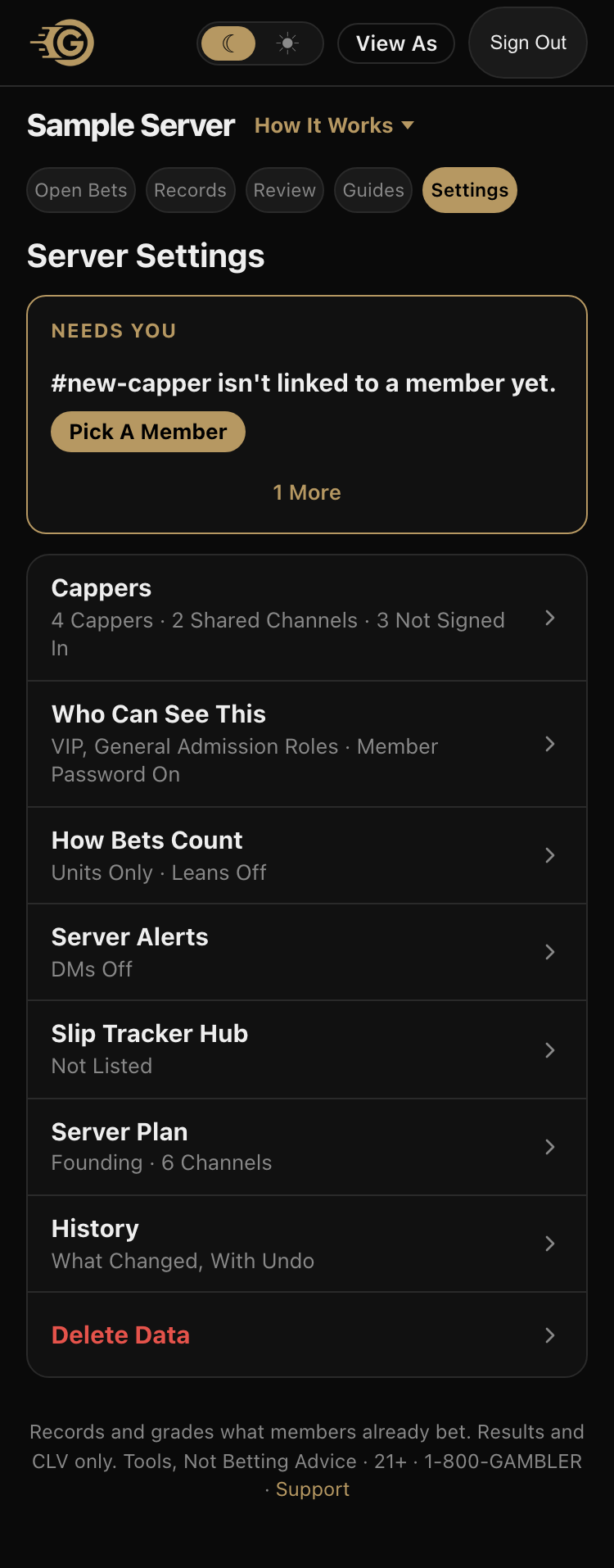
Server Settings. The owner's Settings is eight rows, each with one line saying how it is set: Cappers, Who Can See This, How Bets Count, Server Alerts, Slip Tracker Hub, Server Plan, History and Delete Data. Each thing lives in one place, and on a computer the list stays on the left while the page you opened shows on the right.
Every capper signs in to the dashboard with Discord: they see every capper's stats and drill-downs like a member, plus their own card in My Card, and they can tap Report A Problem on their own bet. A capper whose channel was set up with their own Discord account is let in at once; anyone else claims their name and the owner approves it once.
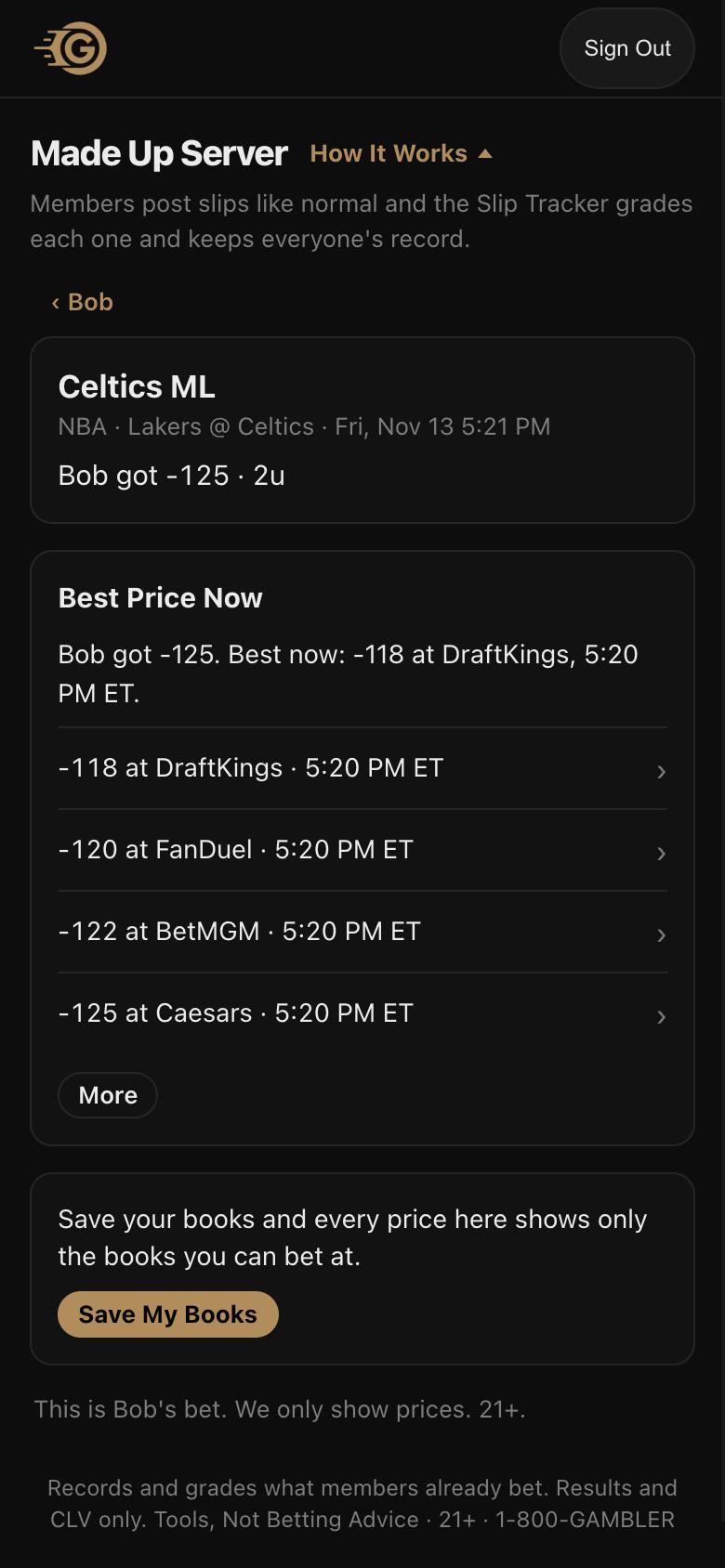
Member View (off until you turn it on in Settings, Who Can See It): pick which Discord roles see which capper's open bets, record by record, with an optional delay so your Discord post is always first. Members sign in with Discord and see the dashboard without your owner tools; the site checks their role again at least every hour, and losing the role ends it. Each capper's page shows that capper's Open Bets at the top, to you, to that capper and to members you allow. Tapping an open bet opens its bet page: the same card on its own, the bet in the capper's words, the price he got, the best price on that same bet now at the member's own books and every other book under it, each with the time it was scanned. If the line has moved it says so and shows each book's line as a different bet; once the game starts it shows no pregame price. It is the capper's bet: the page shows prices and never a pick. Open bets are never on a public page, a share card or a link preview. Every price there says how old it is ("Now", "5 Min Ago", then the time), and an old one is greyed with "Check The Book". A member can Link Your Odds Gap Account from inside the dashboard, even inside Discord, with his email and a 6-digit code: open bets then show the prices his Odds Gap account gets, and saved Profit Boost Wallet boosts show on their book's row. A member who links and later pays counts toward your member credit.
It opens inside Discord too. Members type /sliptracker, or tap the pinned Open Slip Tracker button an admin posts with /slips dashboard, and see the dashboard with no password. You choose who gets in with /slips access role:, or under Roles That Can Open The Dashboard in Settings: pick the role your subscribers get (Winible's, for example) and anyone without it sees "This dashboard is for subscribers" and no data. Lose the role and the dashboard closes within minutes. Staff roles also get the review queue and settings. A server that picks no role keeps its password on the website, and a password you set keeps working there either way.
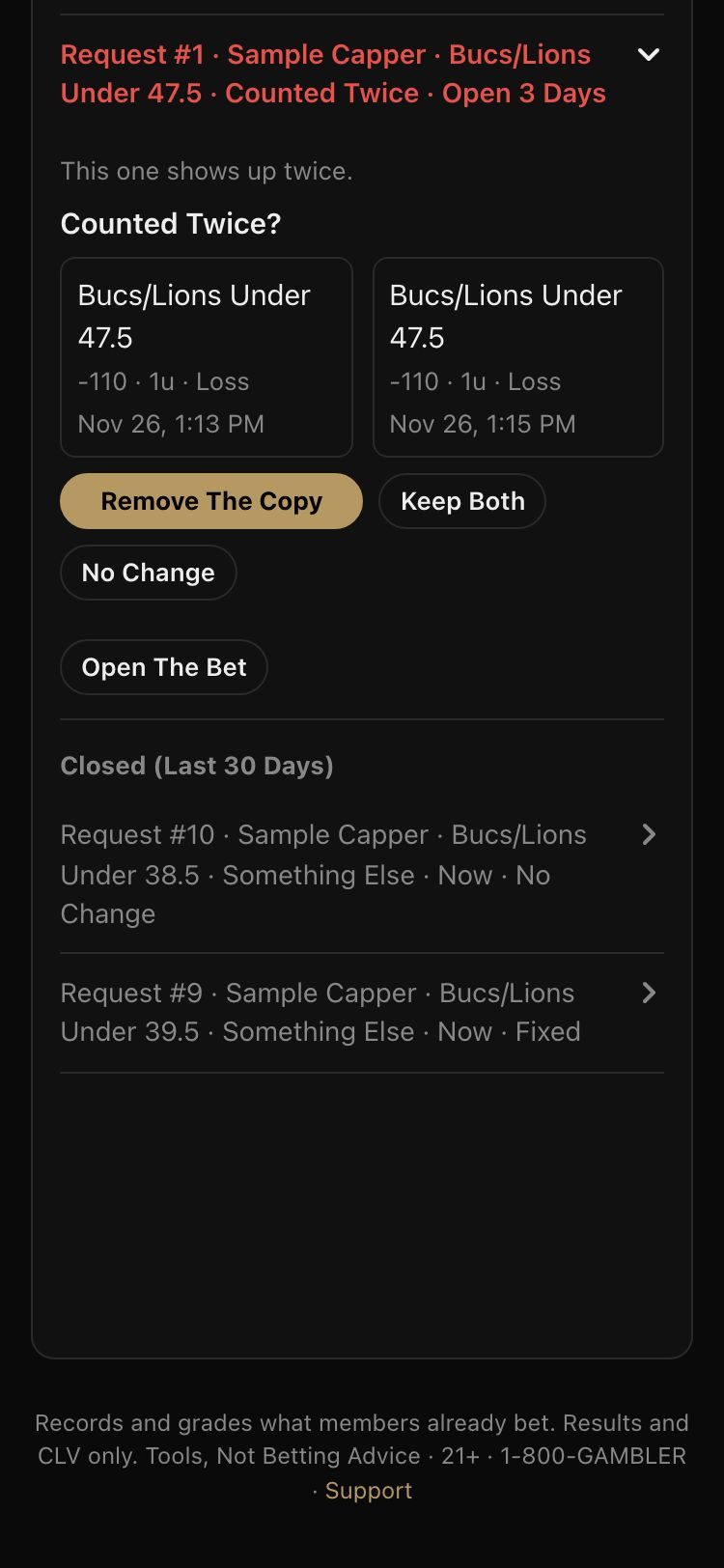
Fix Requests. Cappers and members report a problem right from the bet. Plain cases fix themselves; the rest go to the owner, who opens each one and closes it without leaving the list.
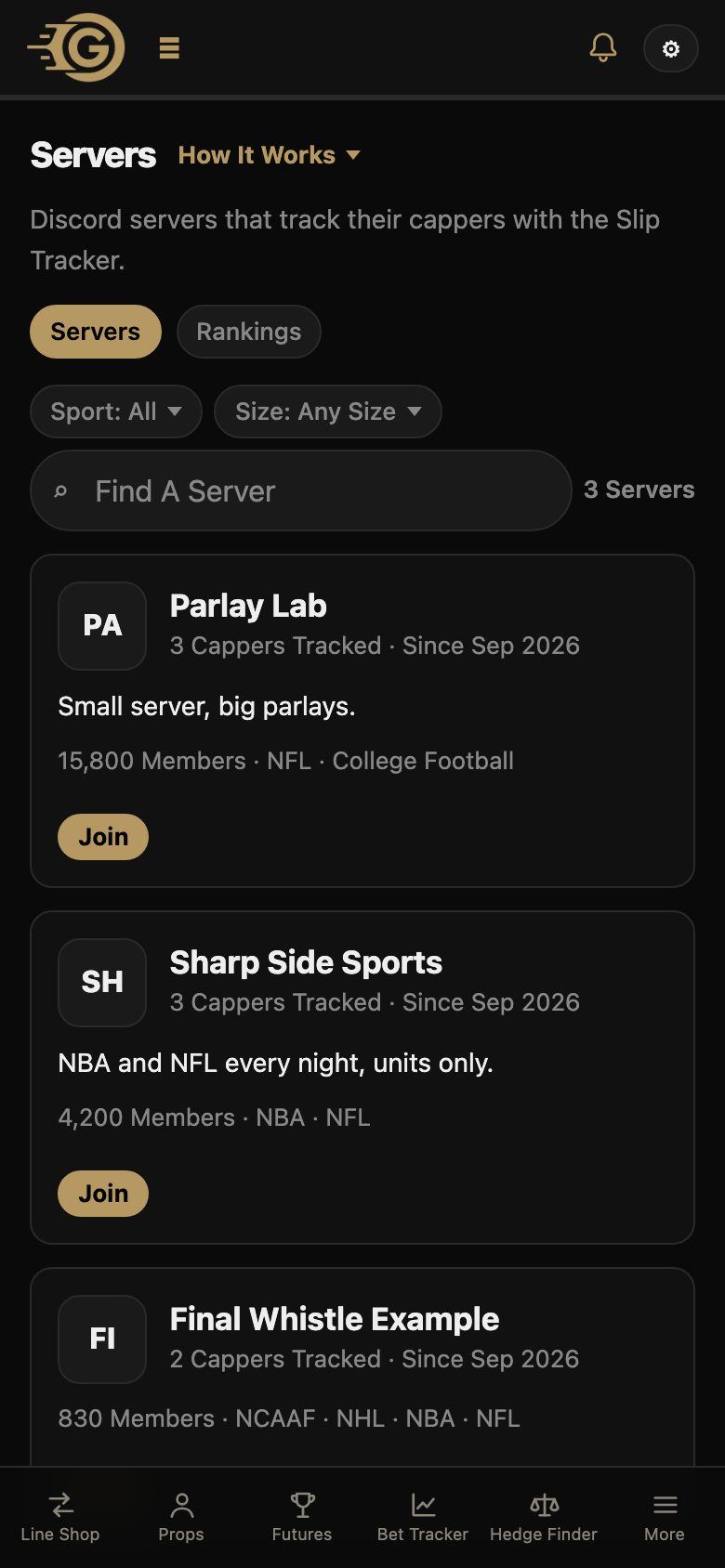
Slip Tracker Hub. An owner can choose to show their server on our public Servers page (Settings, Slip Tracker Hub): its name, size, sports and how many cappers it tracks, with a Join button that opens the server's own Discord invite. If they also make records public, each capper who says yes gets their own public page with their record from bets graded from a results source, their last ten graded bets losses included and a count of open bets (never the bets), and once enough cappers across servers have 50 graded bets, Rankings orders them by units won per unit risked. Bets the owner graded by hand are shown as a count and never counted, and nothing on these pages can be typed except the capper's own labelled line. Off until each owner chooses it.
Free Trial And Free Plan. Free for 14 days with up to 6 channels. After that, your first channel stays free (up to 50 graded bets a month) and extra channels are $5 each. On the free plan a thin bar at the top of the owner's dashboard shows the graded bets used this month, and the owner picks which channel stays free on the Plan screen.
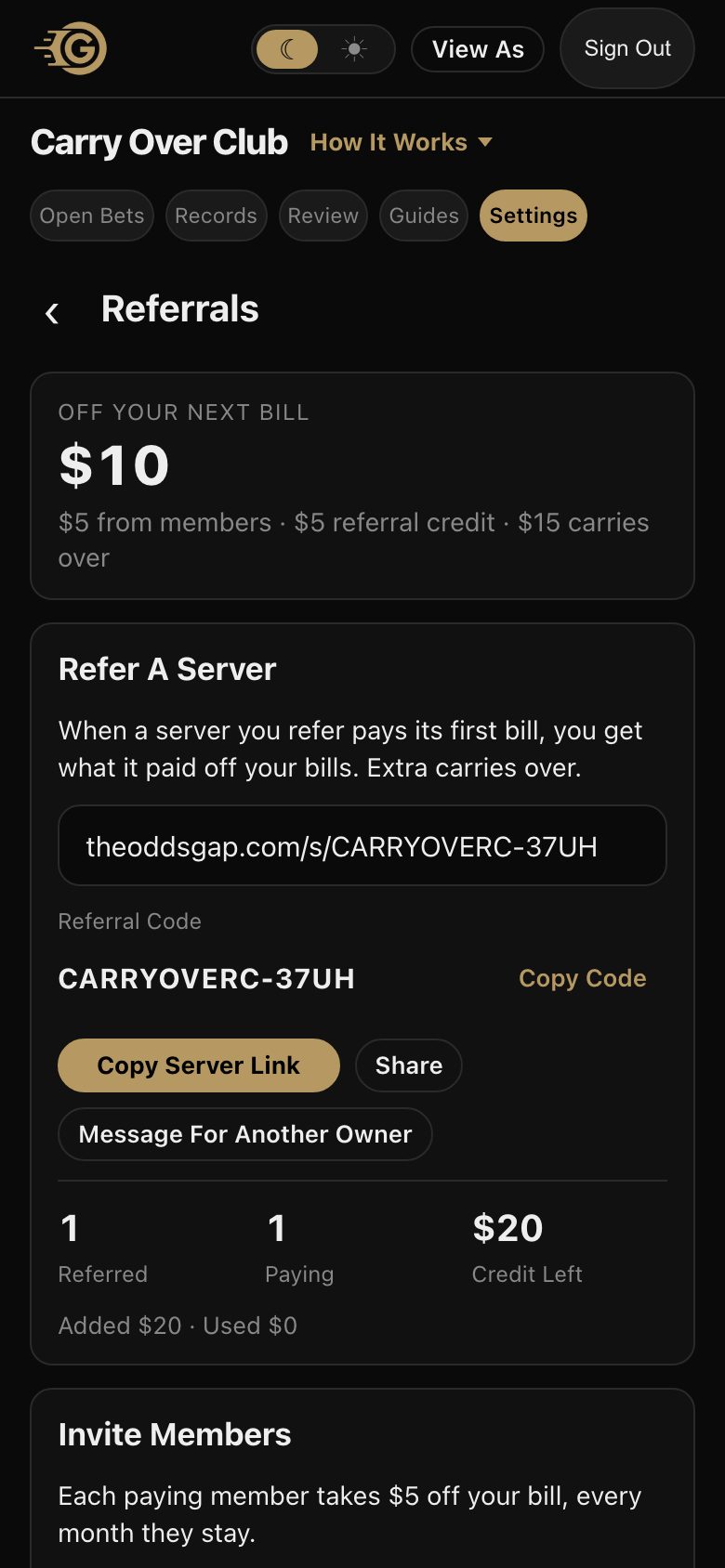
Referrals. Every server owner gets Refer A Server and Invite Members inside Server Plan in Settings, with two links and a short code beside each: one for members and one for other server owners. Each member paying through your link takes a set amount off your bill each month they stay. When a server you refer pays its first bill, and Stripe confirms the payment, you get what it paid off your bills, and what one bill cannot use carries over until it is gone. A server that only uses its free channel adds nothing, each server counts once, and credit is never paid out as cash. The page shows what comes off your next bill, everyone who joined through you and where each one is, and every credit added and used.
Your followers get paid more on the same plays when they take the best price. These put it next to every pick you post.
Build a single pick or a parlay up to 8 legs and get an image with every book's price and the best one highlighted. Add your own image as the full background or as a logo in any of the share cards' six Logo Styles, and a label, choose which books show, then download a 1080 by 1350 PNG or copy it straight into Discord or X. Free, as many as you want.
One copy-paste script tag puts today's best prices on your blog, forum or landing page, and it updates itself. Choose the sports, the books, the market (moneyline, spread, total or all), how many games, and a light or dark look. No signup, no API key.
Send Dan your card and he builds a page on our site that prices every one of your plays at every book. Prices are pulled fresh each time the page loads, so you share one link and it never goes stale. Dan does this every week for The Coverboys, a college football show.
Have paying subscribers? We also build a private, password-protected page for them: your plays each week with the live price at each reader's own books, a tap that opens the book, and every play graded from final scores at the number you gave, with your rules kept private unless you choose to show them.
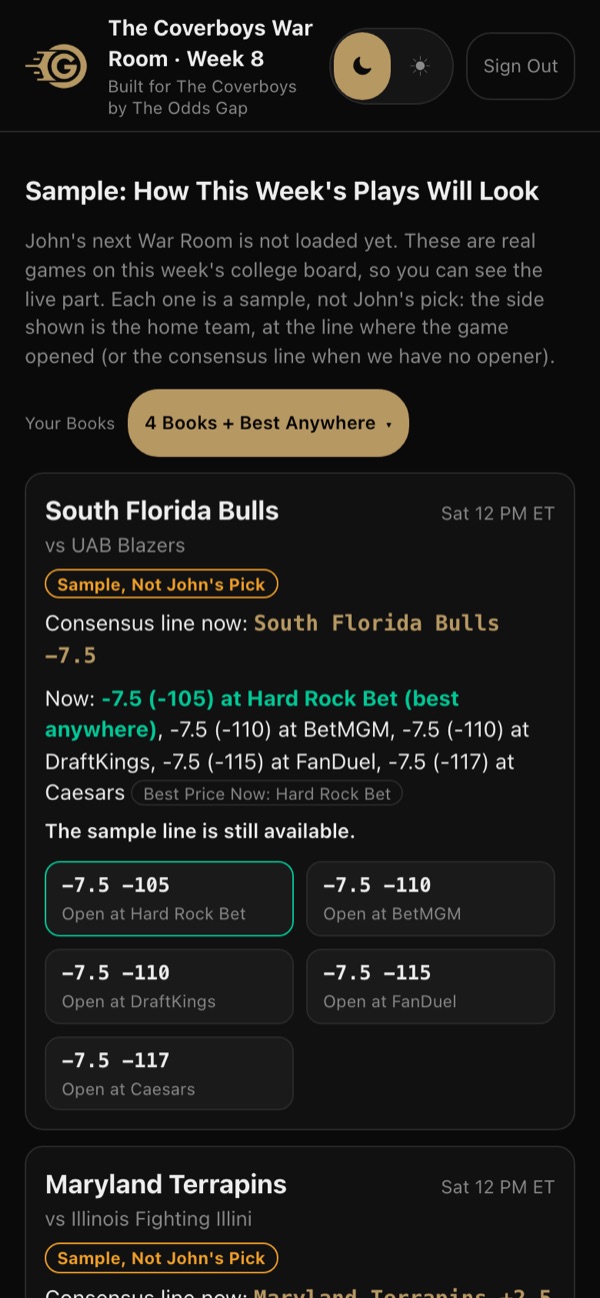
The War Room is a private page for your subscribers: your plays each week with the live price at their books, your systems' records graded from real finals, and a tap that opens the book.
You update it yourself. Paste your plays, a line change or a note in your own words, or send it by email, check the list of exactly what will change, and publish. Plays close at kickoff, and you can undo your last update until the next game starts.
/odds ask switched on in your server.Dan builds and runs the site himself, so requests go straight to the person who can make them.
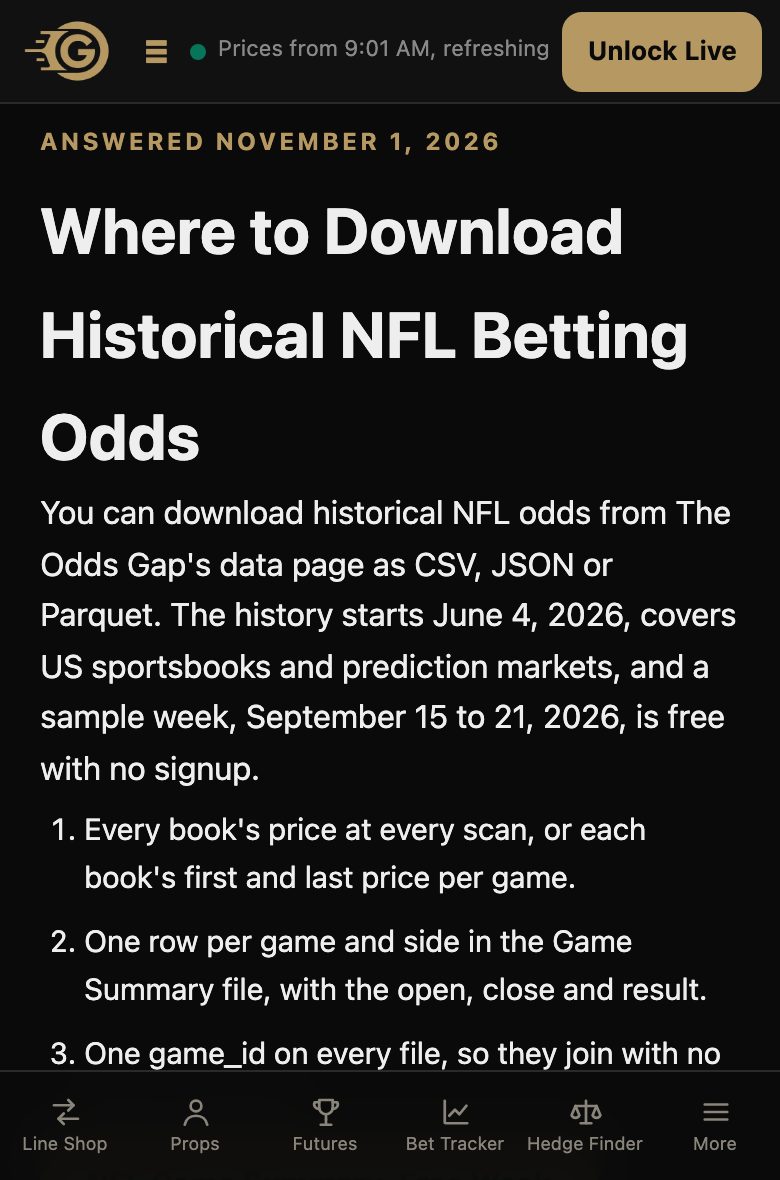
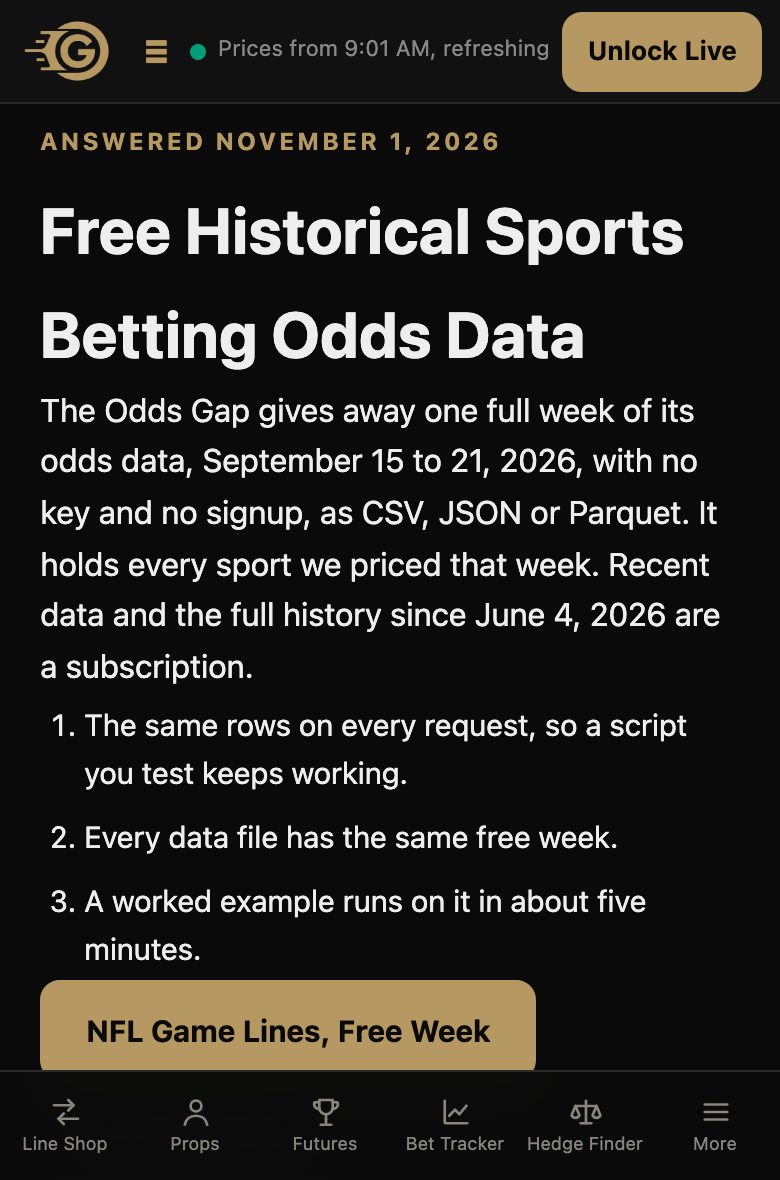
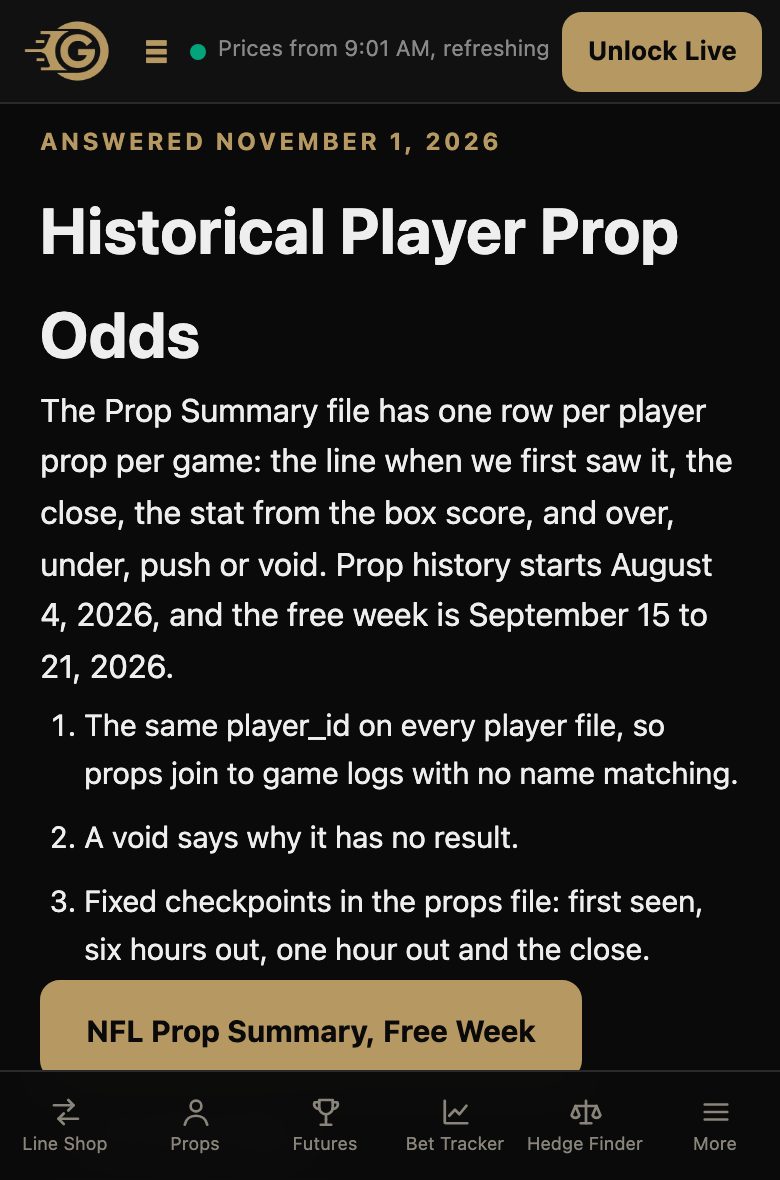
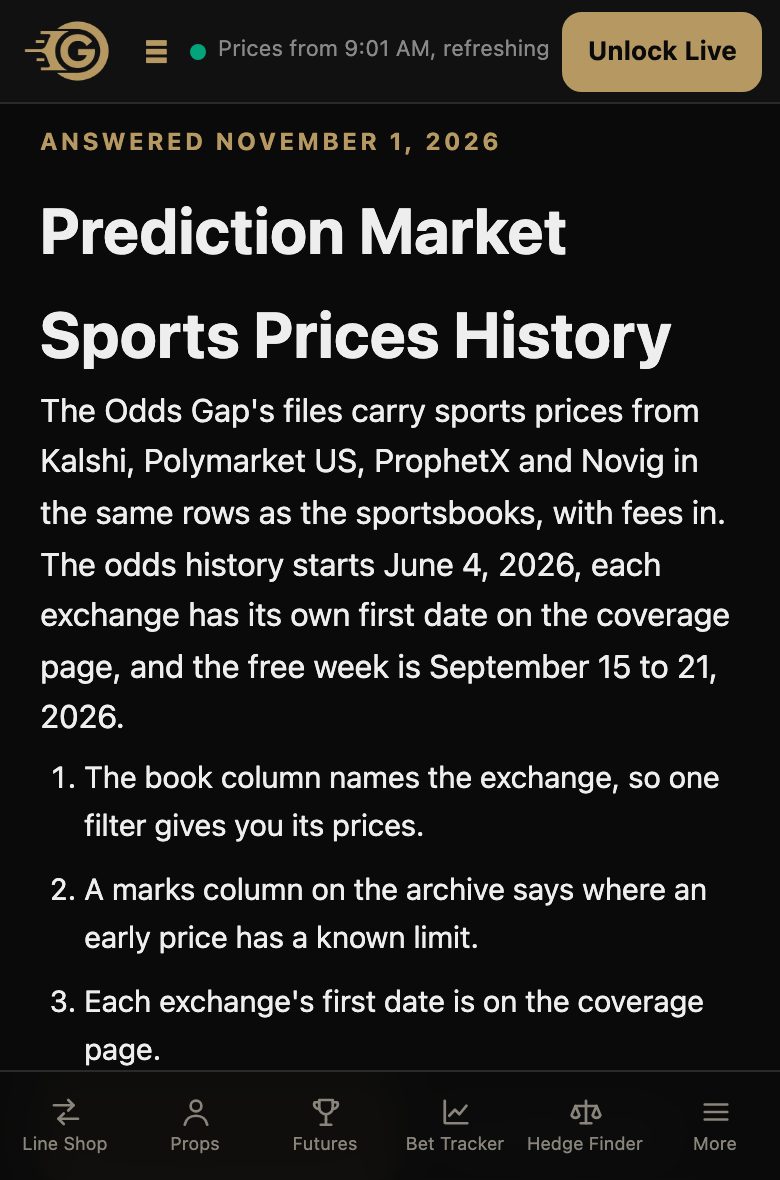
Every price from every scan: game lines from every book, player props at set points before the game and at the close, the de-vigged fair price on every row, and prediction-market prices with fees applied. Files come as CSV, JSON or Parquet.
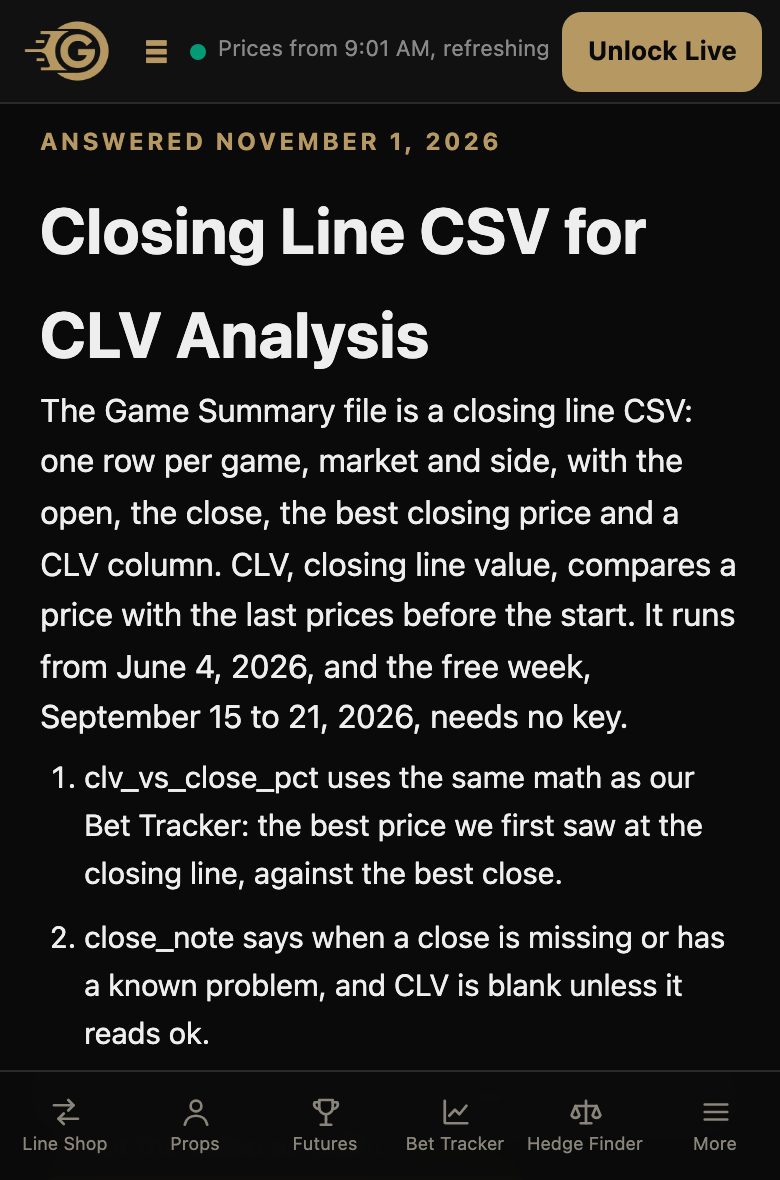
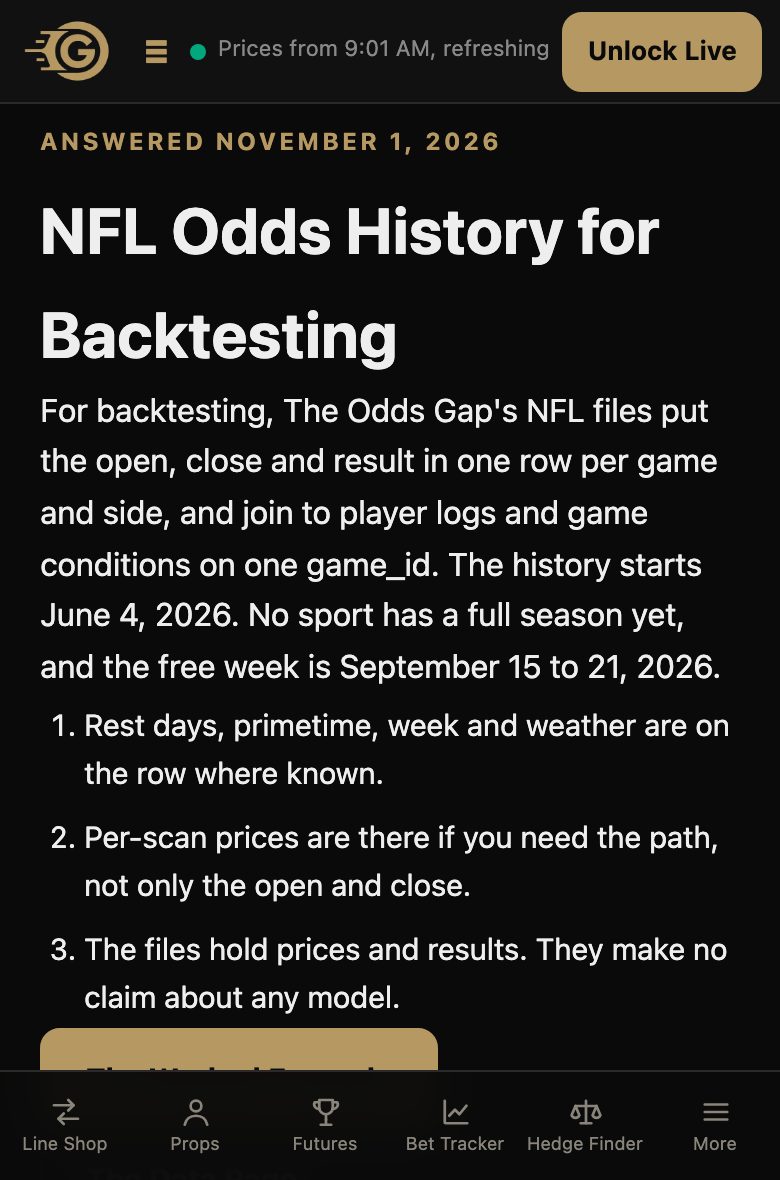
Two summary files put the open, the close, the result and the CLV in one row for every game and every player prop, a worked example shows them in use, and the coverage page shows every sport and book day by day. Every file shares one game id and player id, so they join in one line.
The Trends data comes with it: every team's results against the closing spread and total, game by game, full player game logs with each player's season average before every game, graded player props, game conditions and every line move, each row with the same game details (home or away, rest, favorite or underdog, the opening and closing lines).
Leagues on file, each added with its first finished game: College Basketball, College Football, UFC, NHL, MLS, NBA, NFL, La Liga, Serie A, Premier League, Ligue 1, Bundesliga, Champions League, Tennis, MLB, WNBA, World Cup. A league with a small sample so far says so on its page, and the sample grows with every game.
Common questions have their own short answers, like closing line CSV for CLV analysis.
Just want a copy? Everything to date is one download, with every file from the first date through the latest weekly build. It does not update.
You never need this to use the site or the bot.
There is also a free, read-only JSON API of the live best prices, no key and no signup, for personal and AI-assistant use with a credit to theoddsgap.com. It is not for resale or commercial use.
I'm Dan, and I build and run The Odds Gap myself. If you want something changed or built for your community, or just have a question, reach me any of these ways:
21+. Sports betting is for adults where it is legal, and which books are legal depends on your state. If gambling stops being fun, call or text 1-800-GAMBLER.
One free email each morning.
One email each morning: how the lines moved in last night's big game, new finds from Trends, and where the books disagree most on the weekend slate.
Looking for faster prices? Use Unlock Live.
For cappers and server owners. Your picks stay yours; we show where each one pays the most.