
Loading ticker...
Loading…
@TheOddsGap
Start with the button. Each step below says exactly what to tap.
Add to DiscordTap Add to Discord at the top of this page, pick your server, tap Continue, then Authorize. Works the same on a computer or a phone.
Make a channel for it, for example #tog-bot. For its topic, paste this (channel settings > Overview > Channel Topic, then Save). It's optional. Asking starts off: until Dan switches it on for your server (step 6), delete "Tag @TOG Bot or use /odds ask." before you save.
Ask TOG Bot anything on The Odds Gap: prices, hedges, line moves, trends and more. Tag @TOG Bot or use /odds ask. No picks. 21+
Making it private? Add TOG Bot to it (channel settings > Permissions > Add members or roles > TOG Bot), or the bot can't see the channel.
This setting is not in the phone app, so use the Discord desktop app or discord.com. Server Settings > Integrations > TOG Bot > Manage. Under Channels, set All Channels to the red X, tap Add Channels, tick your channel, set it to the green tick and Save Changes.
This locks the /odds commands. To keep @TOG Bot answers in that channel too, turn @ Answers off for your other channels in /oddsadmin (below). Admins skip channel locks, so test with a non-admin account to see what members see.
In the channel, type /odds game, start typing a team, pick a game and send it. Once Dan tells you asking is on, try "@TOG Bot best price on" a team playing tonight. Commands not showing yet? Give Discord a few minutes, or close and reopen the app.
Copy it, paste it in the channel, then pin it (on a computer: hover the message > ⋯ > Pin Message; on a phone: press and hold the message). The asterisks turn into bold in Discord.
Some lines depend on what is switched on. Until Dan tells you asking is on, delete the line starting "Ask it anything" and the line starting "**/odds ask**". Until he tells you the live board is on, delete "Sportsbook game lines update about every minute."
**TOG Bot is live in here!**
Ask it anything on The Odds Gap: tag **@TOG Bot** or type **/odds ask**. Best prices, hedges, line moves, ATS records and streaks, past results, +EV plays, arbs, props and more.

Type **/odds** and TOG Bot shows prices from every major sportsbook plus prediction markets like Kalshi and Novig, ranked best to worst.
Sportsbook game lines update about every minute.

**The commands**
**/odds ask** (or just @TOG Bot) Ask anything in plain English. "Where's the best price on the Falcons +1.5?" or "I have $50 on the Saints at +150, how much do I hedge?" (10 questions a day each)
**/odds best** Top 5 prices for any one bet. Drop it under a pick to see where to get the best number
**/odds game** Moneyline, spread and total for any game, best price first
**/odds prop** Every book's over/under price for any player prop
**/odds future** Futures boards like Super Bowl or MVP odds
**/odds parlay** Up to 6 legs, shows which book pays the most for the whole parlay
**/odds hedge** Enter a bet you already placed and see every hedge price
**/odds ev** Today's +EV plays (prices better than the fair line)
**/odds middles** Spots where you can bet both sides and possibly win both
**/odds help** Quick how-to

Start typing a team or player and autocomplete fills it in.
What to ask, with examples: https://theoddsgap.com/discord-bot

**Why it matters:** the same bet can pay a lot more at one book than another. Shopping the best number on every bet adds up over a season.

Prices are a snapshot and can move. Always check the book before you bet. 21+
Rather not copy and paste, or on a phone? Send Dan the channel's name with your server ID (next step) and TOG Bot will post it there with the right lines for your server. You just pin it.
So Dan can switch on the extras below. Turn on Developer Mode, then copy the ID:
Send it to [email protected], DM @TheOddsGap on X, or message theoddsgap on Discord.
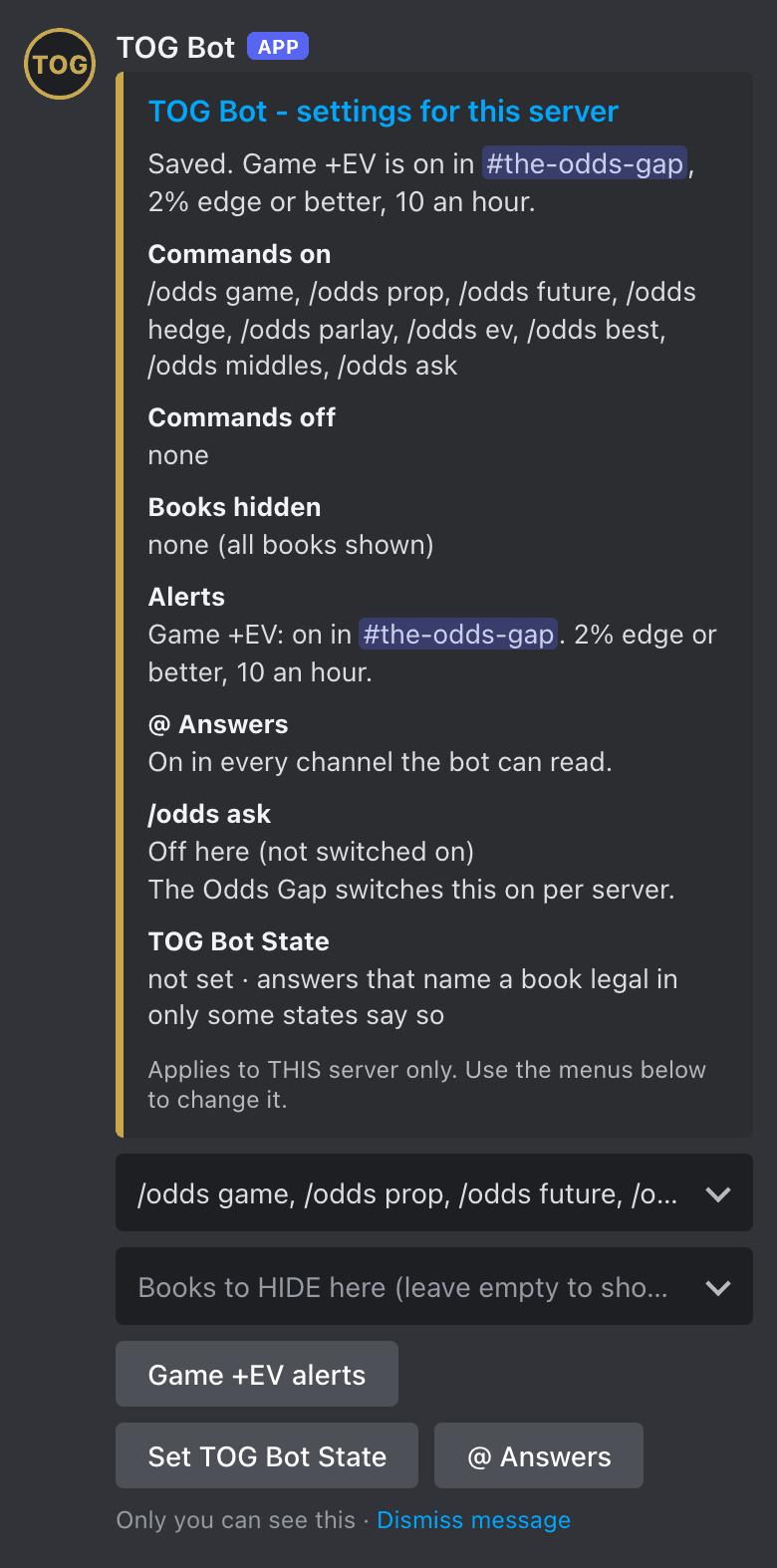
Type /oddsadmin in any channel. Only people with Manage Server or Administrator can open it; anyone else is told "Only this server's managers can change TOG Bot settings (needs the Manage Server permission)." Only you see the panel, and every change applies to your server only. The pictures are drawn from TOG Bot's own panel, with its real labels.
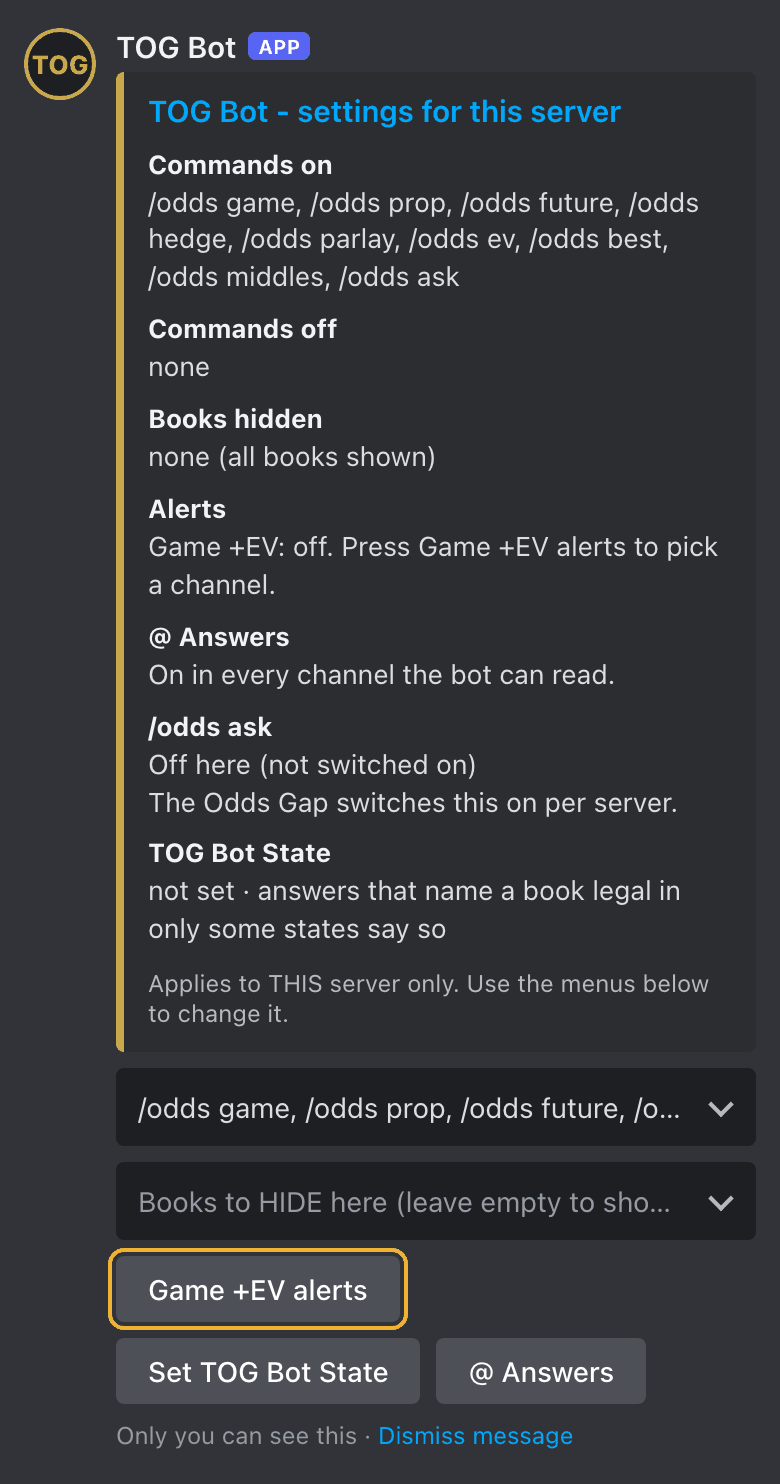
Type /oddsadmin, tap it from TOG Bot in the list, then send it. The panel shows what's on now: Commands on, Commands off, Books hidden, Alerts, @ Answers, /odds ask and TOG Bot State.
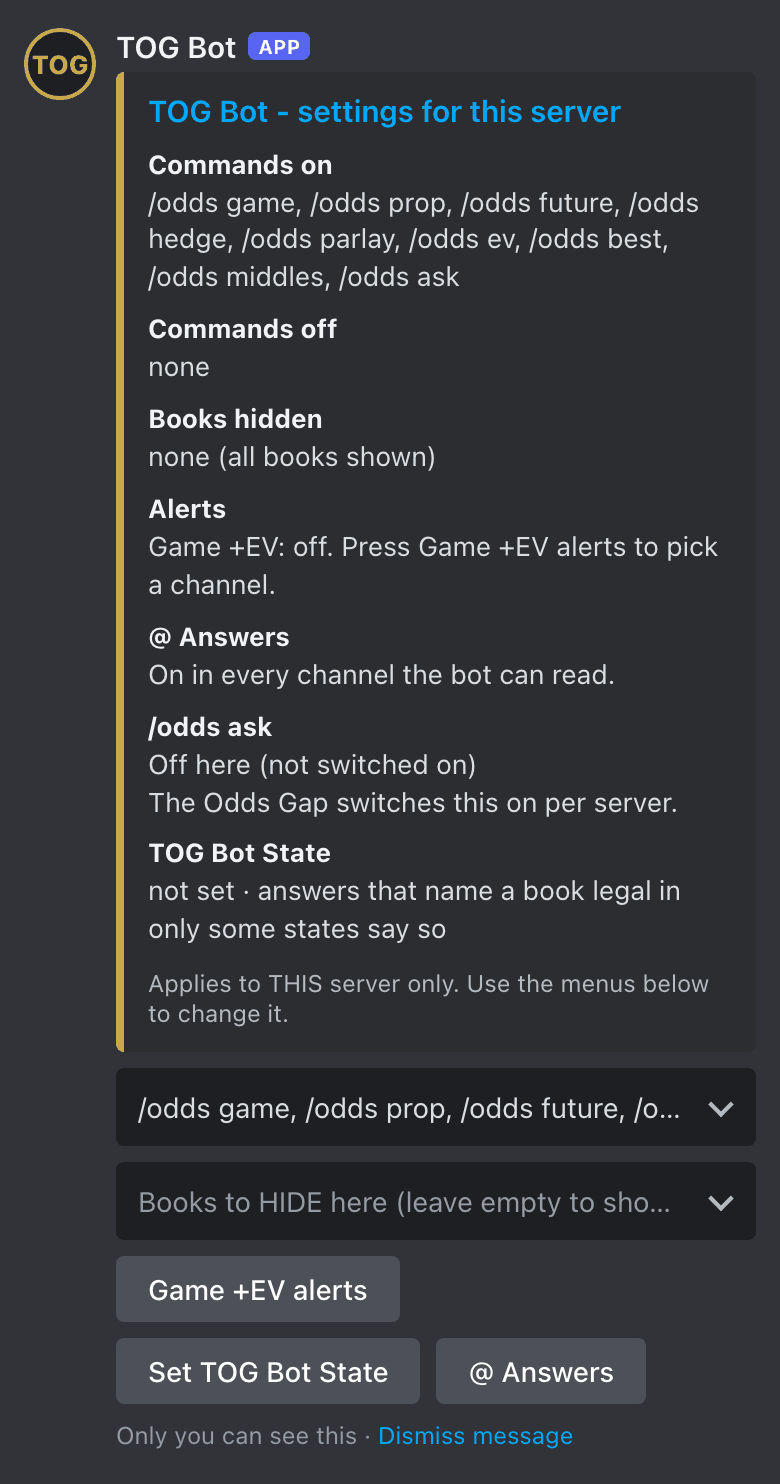
Tap Commands this server shows. A tick means on: /odds game, /odds prop, /odds future, /odds hedge, /odds parlay, /odds ev, /odds best, /odds middles and /odds ask. Untick any you don't want.
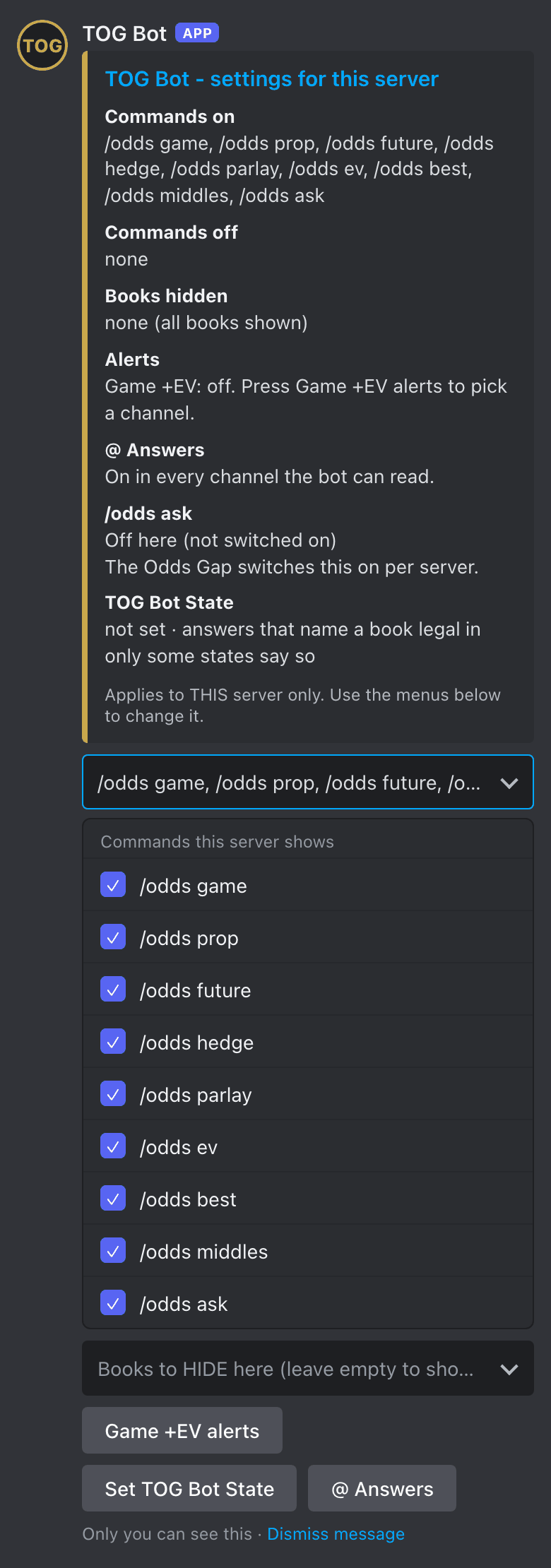
Tap Books to HIDE here (leave empty to show all) and tick each book your members can't use. Untick to show it again. The list: Bally Bet, BetMGM, BetOnline, BetParx, BetRivers, Bovada, Caesars, DraftKings, FanDuel, Fanatics, Fliff, Hard Rock Bet, Kalshi, LowVig, MyBookie, Novig, Pinnacle, Polymarket US, ProphetX and theScore Bet. Not sure which to hide? Poll your members with the list under Books We Cover.
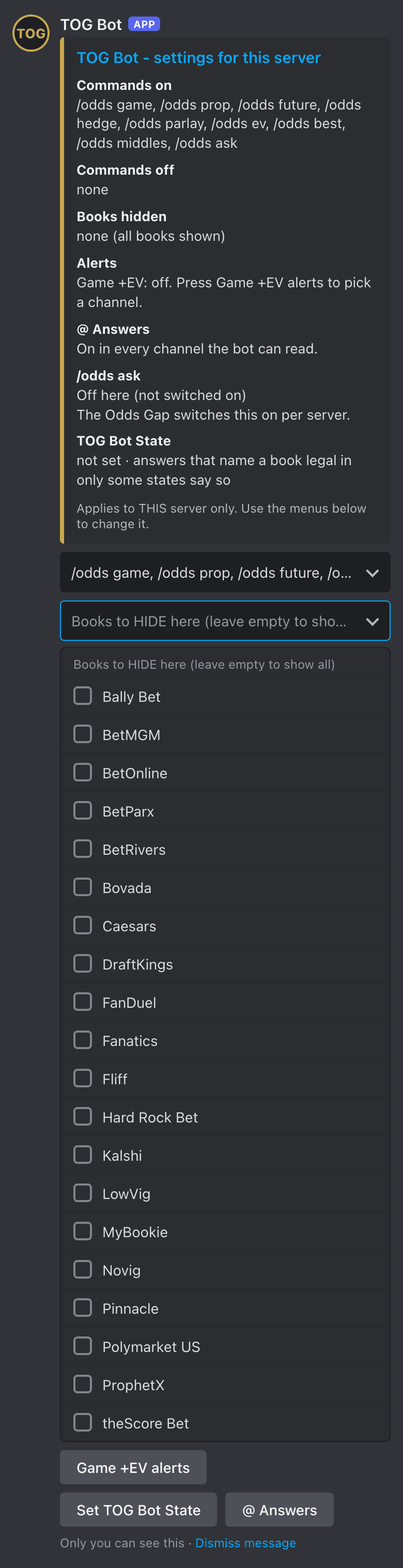
Tap Set TOG Bot State. A box titled TOG Bot State asks for a two-letter state (like OH); Submit. Answers in your server then only name books legal in that state. Submit an empty box to clear it.
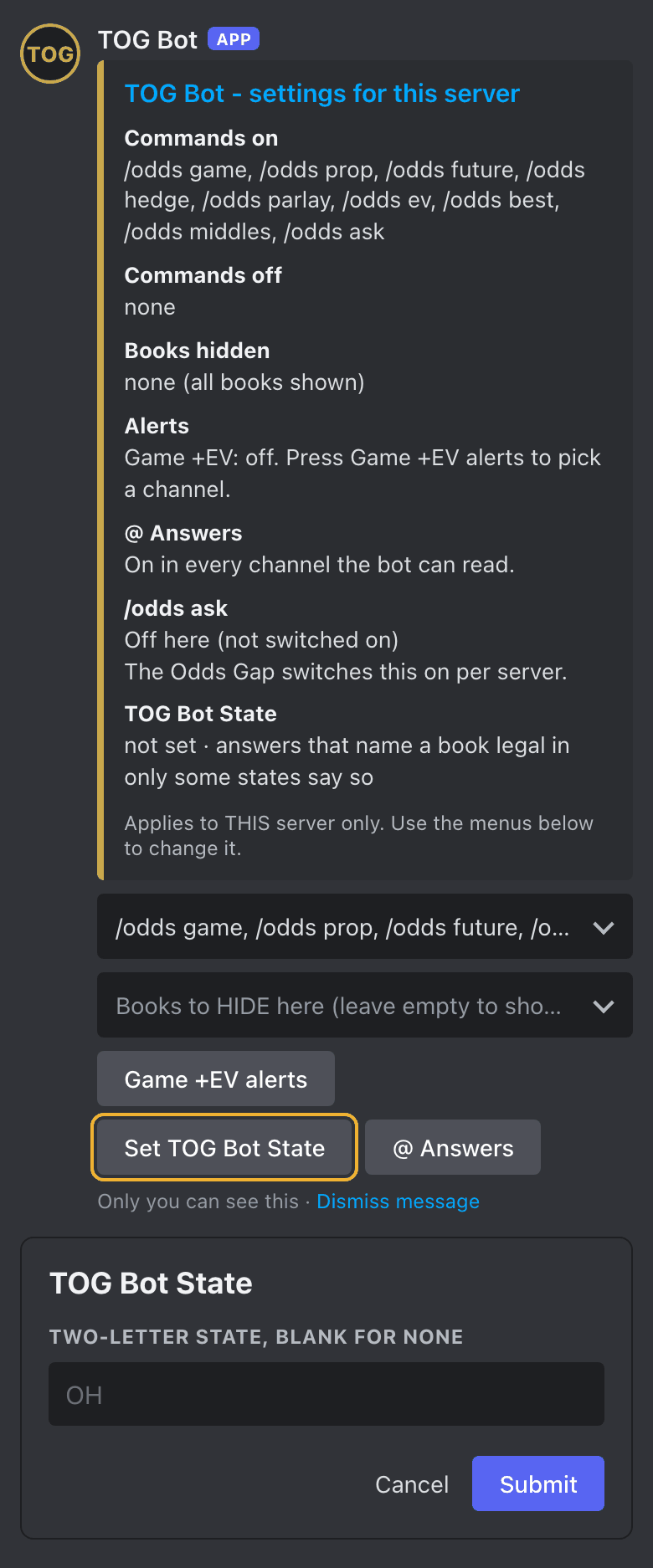
Tap @ Answers to choose which channels answer when a member @s TOG Bot. Turn it off for every channel but the bot's own to keep answers in one place.
Tap Game +EV alerts, then Channels for game +ev (deselect all to turn it off), and tick up to 5 channels. Choosing one turns the feed on. Alerts need the live board on (Dan switches it on).
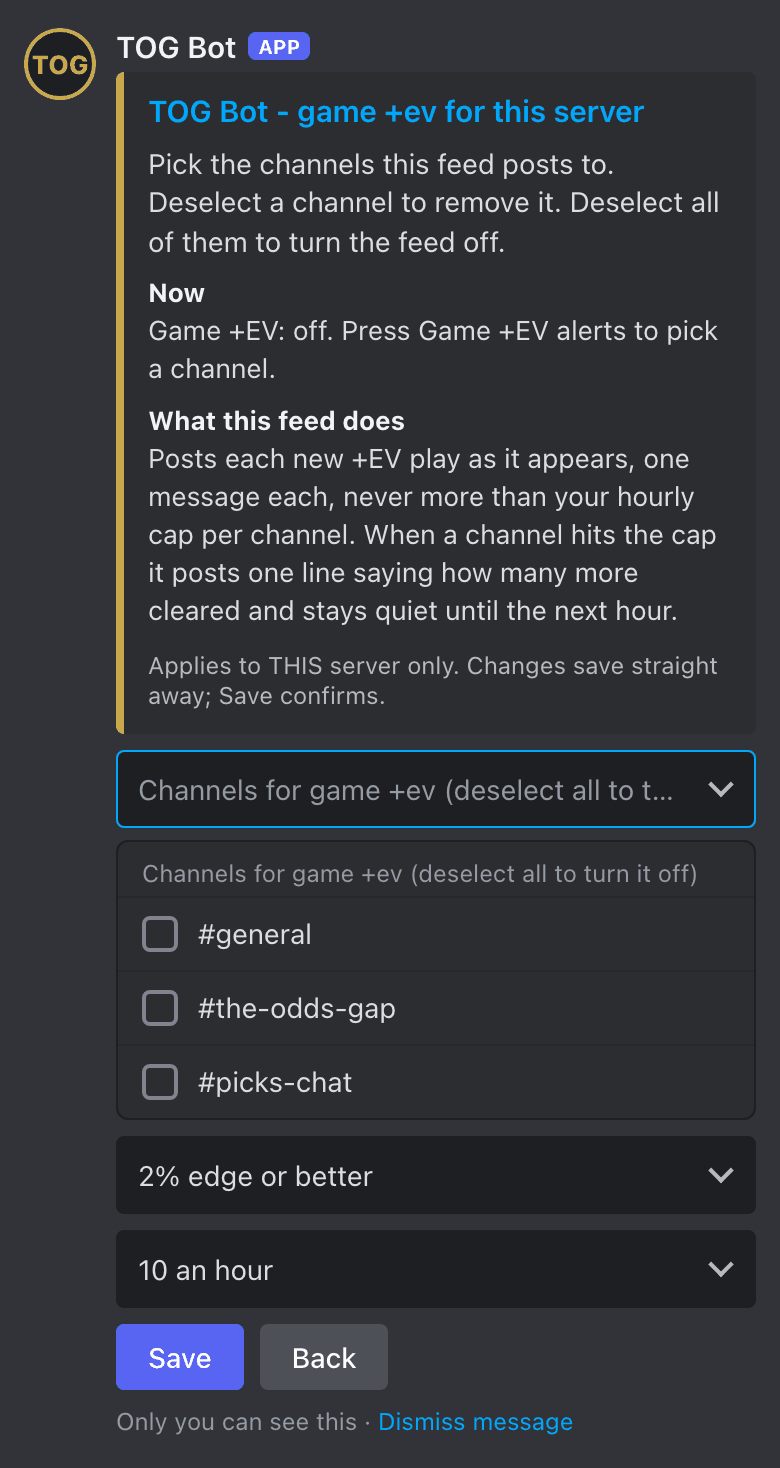
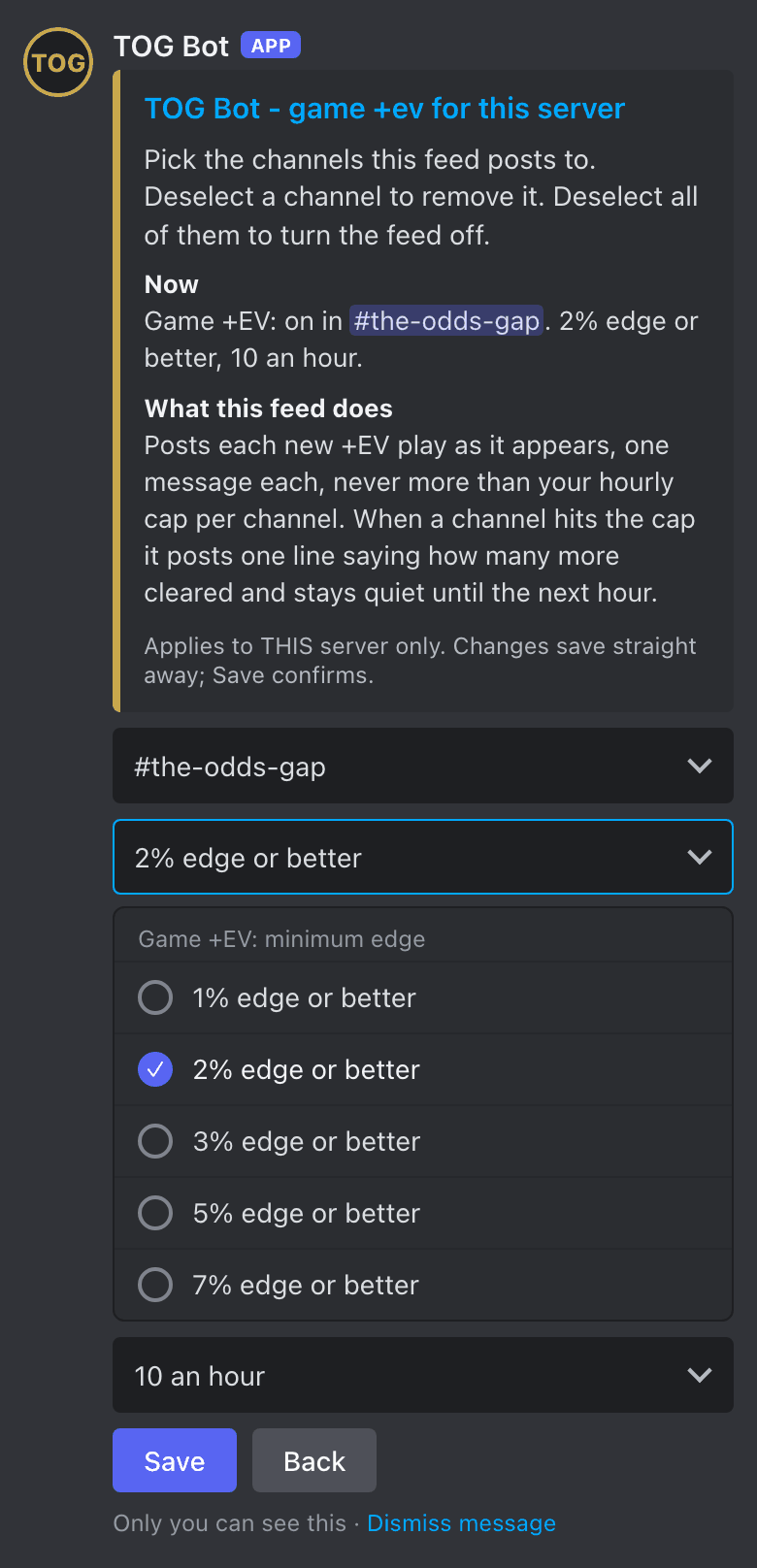
Tap Game +EV: minimum edge and choose 1%, 2%, 3%, 5% or 7% edge or better. Higher means fewer, bigger edges. It starts at 2%.
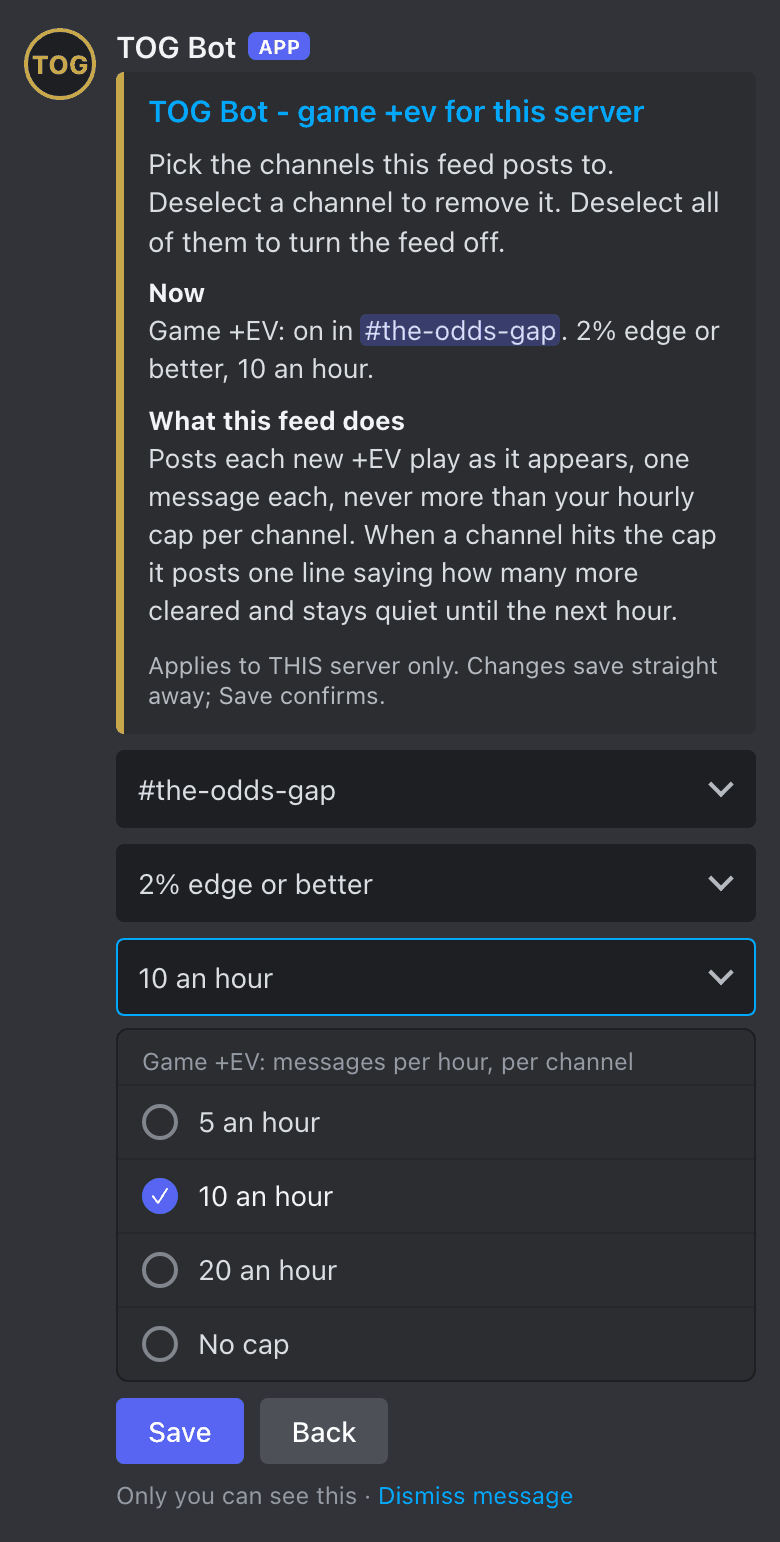
Tap Game +EV: messages per hour, per channel and choose 5 an hour, 10 an hour, 20 an hour or No cap. It starts at 10. At the cap, the bot posts one line saying how many more cleared and waits for the next hour.
Choices save as you go. Save returns you to the main panel and reads your setup back in one line; Back returns without the read-back. To turn the feed off, untick every channel and Save.
If the panel says "View only. Contact The Odds Gap to change these.", Dan holds that setting for your server. Message him and he'll change it.
The price commands are free for every server. These extras are switched on by Dan:
| Extra | What your members get | Status |
|---|---|---|
| Live board | Sportsbook game lines about every minute for games inside 24 hours, and props every hour | Free while in beta |
| Asking | @TOG Bot and /odds ask: any price question in plain English, 10 a day per member, 100 a day per server | Free while we set it up with a small group of servers |
| Slip Tracker | Every slip posted in your slip channels read, graded and kept on a private dashboard (more below) | Free while we set it up with a small group of servers |
| Alerts | +EV plays posted to a channel you pick, set in /oddsadmin | Free, needs the live board |
Message Dan to get them switched on.
Members post slips in the channels you pick. TOG Bot reads each one without posting anything, grades it when the games finish, and keeps every capper's record on a private dashboard for your server. Add a channel with this command (Manage Server):
/slips setup channel:#pregame-slips
Add capper:@member to give one capper their own channel, or record:Name to give the channel its own record. Every form, and the full picture: theoddsgap.com/slip-tracker. Have the owner guide password? Open the owner guide.
The books your members can see. You can hide any of them with /oddsadmin, so this list makes an easy poll.
| US sportsbooks | Prediction markets and exchanges | Offshore and reference books |
|---|---|---|
| DraftKings, FanDuel, BetMGM, Caesars, Fanatics, BetRivers, theScore Bet, Hard Rock Bet, BetParx, Bally Bet | Kalshi, Polymarket US, ProphetX, Novig | Pinnacle, Bovada, BetOnline, LowVig, MyBookie, Fliff |
That's 20 in all. The offshore and reference books are shown for comparison only: never counted as the best price and never linked. Which books are legal depends on the state, so members should always confirm a price at their own book.
Odds shown are for comparison, not betting advice. 21+. If gambling stops being fun, call or text 1-800-GAMBLER.